Display Technology Explained A Complete Guide
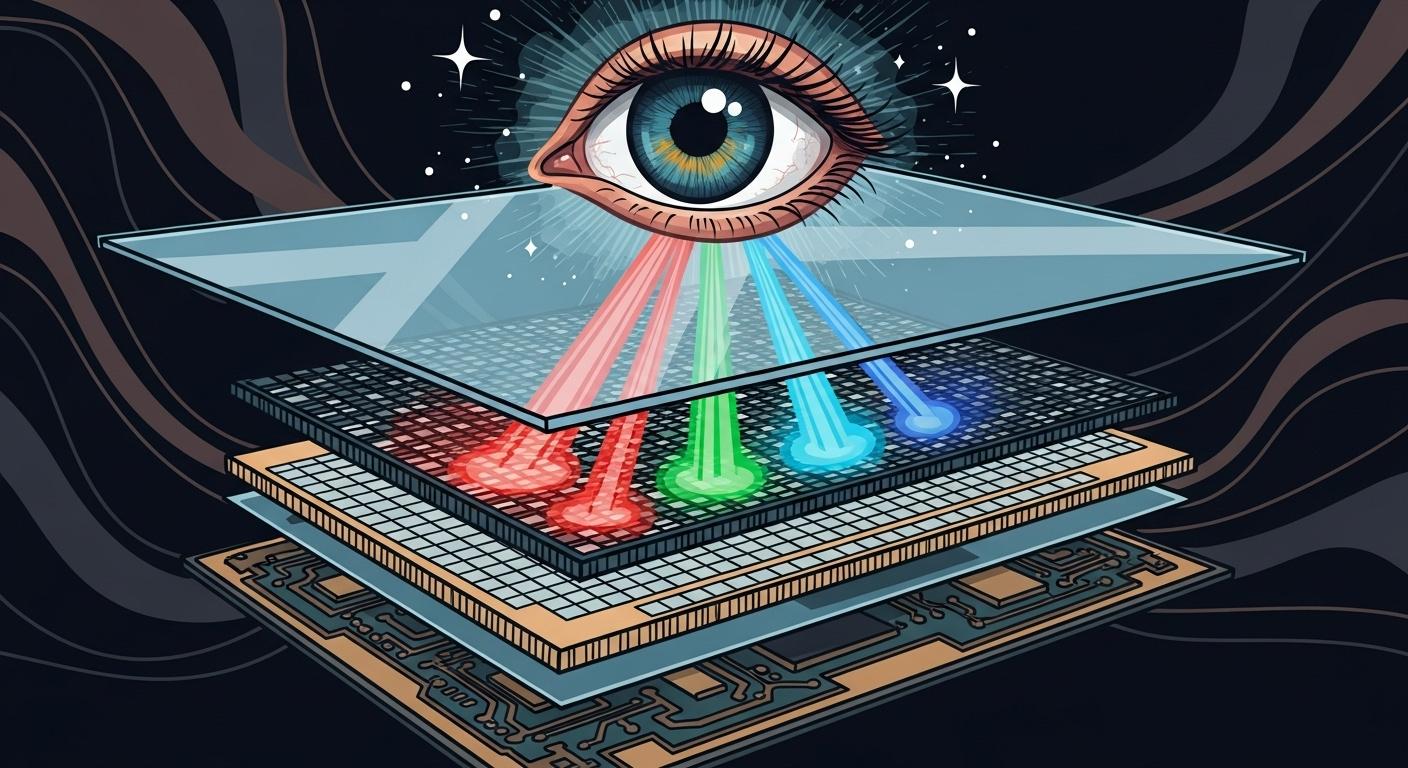
Display technology is the science behind how your screen creates vivid images. All modern flat-panel displays fall into two main groups. This technology continues to evolve in a rapidly growing market, which is projected to reach USD 295.04 billion by 2032.
Self-emissive displays like OLED create their own light.
Non-emissive displays need a separate LED backlight. To understand this category, it's helpful to first ask, what is LCD? This type of display relies on a backlight to function.
Tip: The best display for you involves a trade-off. You must balance image quality and color with performance and cost to find the right screen. This digital display technology choice defines your viewing quality.
Key Takeaways
Displays create images in two main ways. Self-emissive displays like OLED make their own light. Non-emissive displays like LCD need a separate light source.
LCD screens use a backlight and liquid crystals to show images. Different types of LCD panels offer various benefits. These include fast response for gaming or good colors for work.
OLED screens have perfect black colors. Each pixel turns off completely. This makes colors look very vibrant. MicroLED is a new technology. It offers even brighter images and lasts longer than OLED.
Hybrid displays like QLED and QD-OLED combine technologies. QLED improves LCD brightness and color. QD-OLED mixes OLED's perfect blacks with quantum dot colors.
Choose a display based on your needs. Gamers need fast refresh rates. Designers need accurate colors. For movies, consider your room's light. OLED is best for dark rooms. QLED is better for bright rooms.
Understanding Digital Display Technology
To choose the right screen, you first need to understand the core technologies powering the images you see. The main types of flat-panel displays work in fundamentally different ways. This digital display technology determines everything from color vibrancy to motion smoothness.
What is LCD and TFT-LCD?
So, what is LCD? A Liquid-Crystal Display (LCD) is a non-emissive display. It does not create its own light. Instead, it acts like a set of tiny shutters. An LED backlight provides a constant source of light. The LCD panel sits in front of this light.
The basic process works like this:
Backlight: A powerful LED backlight shines through the entire panel.
Liquid Crystals: A layer of liquid crystals twists or untwists when electricity is applied. This rotation controls how much light can pass through.
TFT Control: Modern LCD panels use a Thin-Film Transistor (TFT) matrix. This is a grid of tiny transistors and capacitors. Each transistor controls one sub-pixel (red, green, or blue). This active control allows the display to create sharp, responsive images. A display with a 1024x768 resolution has over two million transistors working together.
Color Filters: The light passes through red, green, and blue filters to create the final color for each pixel.
Not all LCD panels are the same. The way the liquid crystals are arranged creates different panel types. Each type offers a unique balance of performance and cost.
Note: The three main types of flat-panel displays in the LCD category are TN, VA, and IPS. Your choice impacts everything from gaming performance to color accuracy for creative work.
Feature | TN (Twisted Nematic) | VA (Vertical Alignment) | IPS (In-Plane Switching) |
|---|---|---|---|
Best For | Competitive gaming, budget monitors | High-contrast movies, general use | Professional color work, wide viewing angles |
Response Time | Fastest (as low as 1ms). You get minimal motion blur. | Slower. Can sometimes cause "ghosting" in fast scenes. | Good. Modern IPS gaming monitors are very fast. |
Contrast | Lowest. Blacks can look grayish. | Highest. You see deep, inky blacks. | Moderate. Better than TN but cannot match VA. |
Color & Angles | Weakest. Colors shift when you view the screen from the side. | Good. Better than TN, but some color shift at extreme angles. | Excellent. Colors stay accurate even from wide viewing angles. |
Cost | Cheapest. Ideal for budget gaming monitors. | Mid-Range. Offers a great balance of quality and price. | Most Expensive. The top choice for quality and accuracy. |
Understanding what is LCD helps you see why it's a versatile and affordable technology. However, for the absolute best picture quality, you need to look at self-emissive displays.
Self-Emissive Displays: OLED and MicroLED
Self-emissive displays create their own light at the pixel level. This technology removes the need for a backlight, leading to major improvements in picture quality.
An Organic Light-Emitting Diode (OLED) display uses organic compounds that glow when electricity passes through them. Each pixel is its own light source.
Perfect Blacks: To show black, an OLED pixel simply turns off. It emits no light. This creates an infinite contrast ratio, making colors pop and images look incredibly deep.
Pixel-Level Control: The manufacturing process allows for independent control of each pixel's brightness. This gives OLED panels amazing precision and vibrant colors.
Thin and Flexible: Without a backlight layer, OLED screens can be incredibly thin and even flexible.
The future of display technology may be MicroLED. This technology uses microscopic, inorganic Light-Emitting Diode (LED) chips for each pixel. Think of it like a giant stadium screen shrunk down to the size of a TV. MicroLED takes the benefits of OLED and improves upon them.
MicroLED offers several key advantages over OLED:
Extreme Brightness: It can get significantly brighter than OLED, making it ideal for viewing in sunny rooms.
Longer Lifespan: The inorganic materials do not degrade like the organic ones in OLED, giving it a much longer operational life.
No Burn-In Risk: Since the pixels don't wear out from displaying static images, there is no risk of permanent image retention or "burn-in."
While you can already buy massive MicroLED televisions like LG's MAGNIT, the technology is still very expensive. Experts expect MicroLED to become more common in smartwatches, automotive dashboards, and high-resolution headsets over the next decade as manufacturing costs fall.
Hybrid Displays: QLED and QD-OLED
Hybrid displays combine elements of different technologies to enhance performance. These displays bridge the gap between traditional LCD and self-emissive OLED.
A QLED (Quantum Dot Light-Emitting Diode) display is not a self-emissive technology. It is an advanced type of LCD. QLED televisions use a standard LED backlight, but they add a layer of nanoparticles called "quantum dots."
When the blue light from the LED backlight hits this quantum dot film, it converts the light into exceptionally pure red and green. This process creates a wider range of colors and higher peak brightness than a standard liquid-crystal display.
QD-OLED is a newer hybrid technology that combines the best of both worlds. It uses a blue OLED panel as its light source and adds a quantum dot layer to create red and green.
A layer of blue OLED material provides the light for every pixel.
This light passes through a quantum dot filter.
Some pixels remain blue, while others are converted to pure red or green by the quantum dots.
This approach creates the perfect blacks and infinite contrast of OLED while delivering the wider color volume and brightness of quantum dots. This digital display technology offers a stunning viewing experience for gaming and movies, representing one of the most exciting types of flat-panel displays available today. The monitor market is seeing more of these displays, offering incredible quality for a premium price.
Key Display Technology Metrics

Understanding the technology is the first step. Now, you need to know how to measure display performance. These key metrics will help you compare different screens and find the best one for your needs.
Image Quality: Contrast, Color, and Brightness
Image quality and color depend on three main factors. Contrast is the difference between the brightest white and the darkest black a screen can produce.
OLED displays offer a basically infinite contrast ratio because their pixels can turn off completely for perfect blacks.
QLED displays have a higher contrast ratio than standard LCD panels.
VA LCD panels provide deeper blacks than other LCD types.
Brightness, measured in nits, determines how well you can see the screen in a bright room. QLED technology leads in this area, making it great for sunny living rooms. The combination of these factors defines the overall quality of the images you see.
Display Type | Peak Brightness (nits) | Key Advantage |
|---|---|---|
Up to 2,000 | Excellent for bright rooms | |
Self-emissive OLED | Around 450 | Perfect blacks for cinematic viewing |
Motion Clarity: Refresh Rate and Response Time
Motion clarity is crucial for smooth video and gaming. It is defined by two numbers: refresh rate and response time.
Refresh Rate (Hz): This tells you how many times your monitor updates the image per second. A standard office monitor uses 60Hz, which is fine for basic tasks. However, gaming monitors offer a much higher refresh rate, often 144Hz or more, for smoother gaming performance.
Response Time (ms): This measures how quickly a pixel can change color. A faster response time reduces motion blur, which is important for fast-paced gaming. OLED panels have a nearly instantaneous response time that no other display technology can match without special tricks.
Resolution, Aspect Ratio, and Lifespan
The sharpness of a display comes from its resolution. Resolution is the number of pixels on the screen, like 1920x1080 (Full HD) or 3840x2160 (4K). Most modern televisions and displays use a 16:9 aspect ratio. This creates the familiar widescreen shape. A high resolution is key for detailed images on high-resolution screens.
Finally, you should consider the display's lifespan.
LED/LCD: These displays can last from 50,000 to 100,000 hours.
OLED: These panels have a lifespan of around 30,000 to 50,000 hours.
While some worry about "burn-in" on OLED displays, modern technology includes safeguards like pixel shifting and improved materials. This digital display technology has become much more durable, making the risk very low for most users. Knowing what is LCD and its alternatives helps you make a smart choice.
Choosing the Right Display
Now that you understand the technology, you can apply that knowledge to find the perfect screen for your specific needs. The best display for a movie lover is different from the best one for a competitive gamer. This guide helps you choose the right technology for your home, office, or pocket.
For Home Entertainment
When you choose a television for your living room or home theater, your room's lighting is the most important factor.
For a cinematic experience in a dark room, you cannot beat an OLED.
OLED televisions are highly recommended by experts for their ability to produce perfect black levels. Since each pixel creates its own light, it can turn off completely, creating infinite contrast that makes colors pop.
Models like the LG C4, Bravia 8, and Samsung S90D are praised for their superior picture processing and performance in dark environments.
High-end Mini-LED televisions are a great LCD-based alternative, offering excellent backlight control, though they cannot match the pixel-level precision of OLED.
Tip: If your living room is bright and sunny, a QLED TV is an excellent choice. Its quantum dot layer allows it to reach a much higher peak brightness than OLED, overcoming glare and producing a vibrant picture even during the day.
While QLED televisions often have a price advantage, especially for screens larger than 65 inches, that price gap is shrinking. More manufacturers are introducing OLED models, giving you more options for your home entertainment setup.
For PC Monitors
Choosing a PC monitor depends entirely on what you plan to do with it. Your main task—whether it's gaming, professional creative work, or general office tasks—will determine the best technology for you.
For Competitive Gaming If you are a competitive gamer, speed is everything. You need a monitor with a high refresh rate and a low response time to gain an edge.
A refresh rate between 240Hz and 480Hz is ideal for fast-paced esports titles.
A response time of 1ms or lower ensures minimal motion blur. OLED panels offer the fastest response times available, some as low as 0.03ms.
OLED and QD-OLED gaming monitors provide the best combination of speed and image quality, delivering deep blacks and vibrant colors alongside incredible motion clarity.
Panel Type | Refresh Rate | Response Time | |
|---|---|---|---|
Samsung Odyssey G9 (49”) | QD-OLED | 240Hz | 1ms |
LG 45” UltraGear OLED | OLED | 240Hz | N/A |
Alienware AW3423DW 34” | QD-OLED | 165Hz | 0.1ms |
For Professional Color Work If you are a graphic designer, photographer, or video editor, color accuracy is your top priority. You need a monitor that can reproduce colors precisely. An IPS monitor is the industry standard for this work. These displays cover wide color gamuts, ensuring what you see on screen matches the final print or digital product.
Primary Use | Characteristics | |
|---|---|---|
sRGB | Websites, digital art, general design | The most common standard, ensuring colors look consistent across the web. |
Adobe RGB | Photography, printed works | A larger color space that covers more shades of cyan and green for accurate print editing. |
For General and Office Use For everyday tasks like browsing the web, sending emails, and working with documents, you need a monitor that is comfortable to look at for long periods. The Dell UltraSharp U2725QE is a top choice for office use. It features a 27-inch IPS Black display, which provides enhanced contrast that makes text sharper and images more detailed. This monitor also includes a helpful USB hub, allowing you to connect your keyboard, mouse, and webcam and switch them between computers easily.
For Mobile Devices
The battle between OLED and LCD is most visible in the smartphone market. The technology in your phone's screen affects everything from battery life to how good your photos look.
Premium smartphones almost exclusively use OLED panels, and for good reason. In 2024, OLED technology surpassed LCD to capture a 53% share of the smartphone display market. This dominance comes from several key advantages:
Superior Display Quality: OLED offers deep blacks, vibrant colors, and a high contrast ratio.
Energy Efficiency: The technology uses less power, which helps extend your phone's battery life.
Thin and Flexible: OLED's thin profile enables innovative designs like foldable and curved screens.
High-Resolution Support: These displays are perfect for watching 4K and HDR videos with crisp detail.
One of OLED's biggest advantages is its power efficiency, especially with dark mode. An LCD screen uses a backlight that is always on, consuming the same amount of power whether the screen is black or white. In contrast, an OLED display turns its pixels completely off to show black, saving a significant amount of energy.
On the other hand, LCD technology remains a popular choice for budget-friendly smartphones. While these LCD panels cannot match the vibrant colors and deep contrast of OLED, they offer good performance for the price.
Model | Screen Type | Performance Trade-offs |
|---|---|---|
Xiaomi Redmi 13 5G | 6.79-inch IPS LCD | Lacks the vibrant colors and deep contrast of an OLED screen. |
OnePlus Nord N30 5G | 6.72-inch IPS LCD | Runs an older version of Android and has a plastic build. |
Ultimately, the choice between these flat-panel displays for your mobile device comes down to balancing your budget with your desire for the best possible visual quality and battery life.
Choosing between modern displays involves a key trade-off. You must weigh OLED's perfect contrast against the superior brightness of other technology. This choice defines your viewing experience.
Tip: To find the right screen, focus on your single most important need. Do you need speed for gaming, cinematic quality, or a bright picture? Answering this simplifies your decision. This approach helps you navigate the different displays and find the best technology. This technology is always improving.
FAQ
Which is better, QLED or OLED?
Your choice depends on your room. OLED gives you perfect blacks and amazing contrast, making it ideal for dark-room movie watching. QLED gets much brighter, so it performs better in sunny living rooms where you need to fight glare. Both offer excellent picture quality.
Should I worry about OLED burn-in?
You generally do not need to worry about burn-in with modern OLEDs. Manufacturers include features like pixel shifting and screen savers to protect the display. For normal viewing habits, the risk is very low. These safeguards make the technology much more durable for everyday use.
What refresh rate do I need for gaming?
For competitive gaming, you should look for a monitor with a high refresh rate. A 144Hz display provides a smooth experience. For fast-paced esports, a 240Hz or higher monitor will give you the clearest motion and a competitive edge.
What is the best TV for a bright room?
A QLED TV is your best choice for a bright room. This technology uses a quantum dot layer to produce very high peak brightness. This brightness helps the picture look vibrant and clear, even when you have a lot of sunlight or indoor lighting.