What Does a VGA Connector Do A Full Breakdown
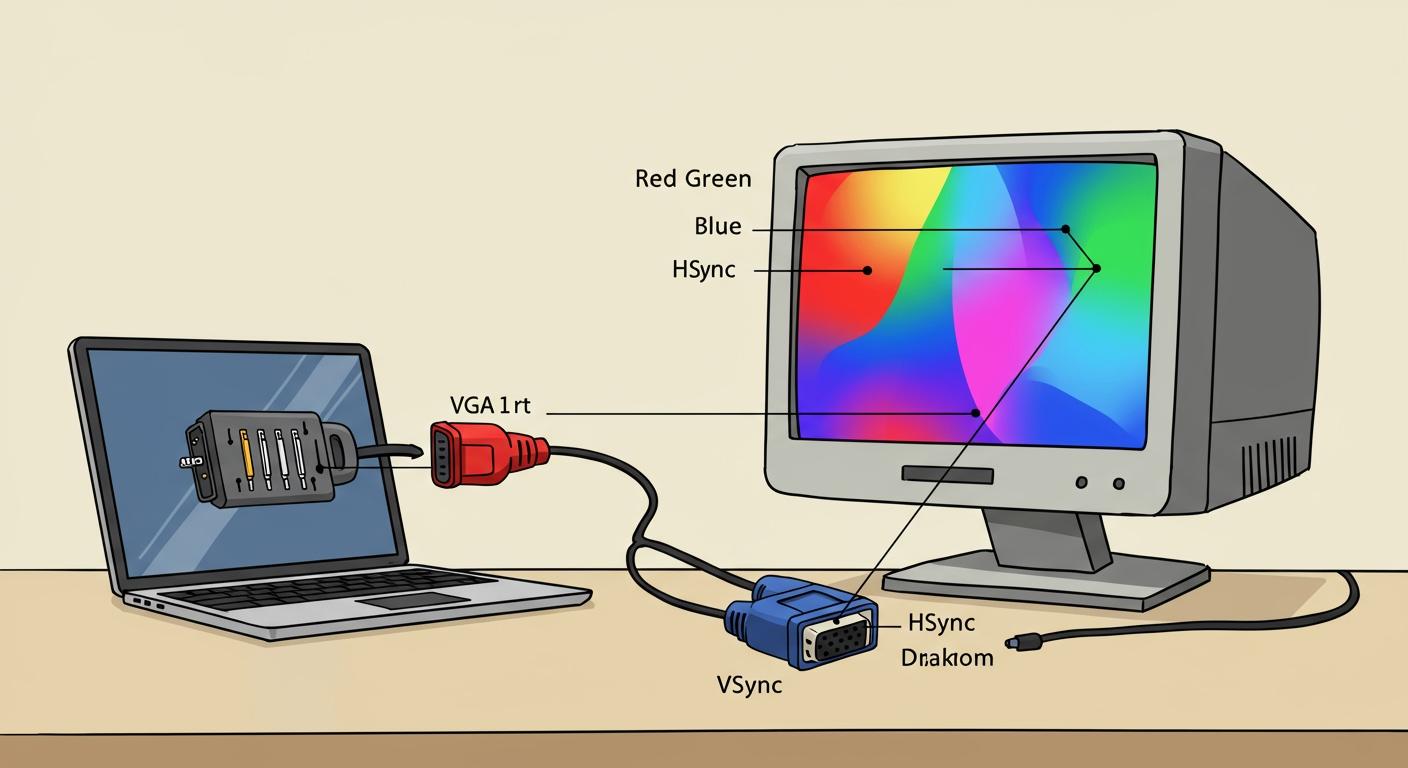
A vga connector's main job is to send analog video signals from a source, like a computer, to a display. You can easily spot this port by its distinct features:
- A 15-pin D-sub design
- A trapezoidal (three-row) shape
- Its typical blue color
Major manufacturers like Intel and AMD began phasing out the vga standard around 2010, favoring newer digital connections.
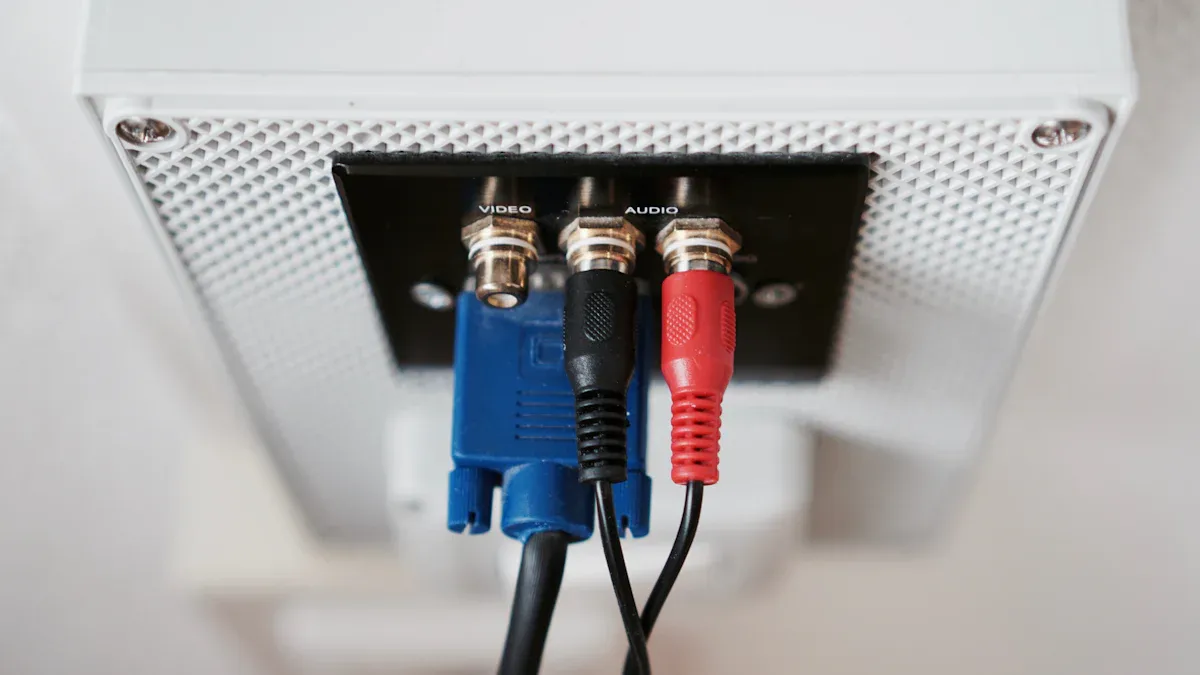
Note: It's important to know that a vga connection only carries video; it does not transmit audio. A separate cable is always needed for sound.
Key Takeaways
- A VGA connector sends analog video signals from a computer to a screen. It does not send sound.
- VGA uses an older analog signal. This signal can lose quality over long cables or from interference.
- Modern connectors like HDMI and DisplayPort use digital signals. They offer better picture quality and also carry sound.
- VGA is still useful for older devices and industrial machines. Adapters can connect VGA to newer screens.
- The original VGA standard supported 640x480 resolution. Newer versions can show higher resolutions, but digital connections are sharper.
What is a VGA Connector and How Does It Work
The term "VGA" can be a bit confusing. It refers to three different things: the connector itself, the analog signaling standard, and the original 640x480 screen resolution. The Video Graphics Array (VGA) standard first appeared in 1987. IBM introduced it with their innovative Personal System/2 (PS/2) computers. These machines were pioneers, establishing VGA as the new benchmark for computer displays and replacing older digital connectors.
The PS/2 line brought several new standards to the market:
- Integrated VGA display support
- 3.5-inch floppy disk drives
- PS/2 ports for keyboards and mice
Did you know? 🤓 Many people call the port a "DB-15" connector. The correct industry name is actually DE-15. This name specifies its "E" size shell and its high-density, three-row pin layout.
The Analog Signal Process
The core of the VGA standard is its method of analog video transmission. A computer's graphics card first creates a digital image. It then converts this image into separate analog signals for the three primary colors of light: Red, Green, and Blue (RGB). These three signals, along with two digital timing signals (horizontal and vertical sync), travel down the vga cable to the monitor.
Each signal has a specific pin inside the vga connector. This separation ensures the color information remains distinct. The analog interface uses a simple and direct system for its video output.
| Pin | Name | Description |
|---|---|---|
| 1 | RED | Carries the analog red video signal |
| 2 | GREEN | Carries the analog green video signal |
| 3 | BLUE | Carries the analog blue video signal |
The horizontal sync (H-sync) and vertical sync (V-sync) signals tell the display when to start a new line and a new screen, respectively. This timing is crucial for a stable picture.
Displaying the Image
Once the signals reach a monitor, the display gets to work. On an older CRT (cathode-ray tube) monitor, the process was very physical. An electron gun at the back of the monitor would shoot beams of electrons toward the screen.
The analog RGB signals from the VGA connection controlled the intensity of these electron beams. A stronger signal meant a brighter color. The H-sync signal told the beam to scan across the screen, "painting" one line of pixels. The V-sync signal then told it to move back to the top to start the next frame. This process happens so fast that the human eye sees a complete, steady image instead of a moving dot. Modern LCD monitors work differently, but they still interpret the same analog VGA signals to determine the color and brightness of each pixel.
Key Functions and Limitations of VGA
While the VGA standard was a huge leap forward in its time, it has several key limitations compared to modern digital interfaces. Understanding these helps explain why it has been almost completely replaced for consumer electronics.
Video-Only Transmission
A primary limitation of the VGA standard is its inability to carry audio signals. The 15-pin design dedicates all its pathways to transmitting video information and related data. This means the vga connector provides video output only. Users who need sound must use a separate audio cable.
For connecting a computer to a monitor with built-in speakers, the most common solution involves a second cable.
- A 3.5mm auxiliary cable is the standard choice. It connects the computer's headphone jack to the monitor's audio-in port.
- RCA cables are another option, often used in home A/V systems. These can connect devices using an adapter, like a 3.5mm to RCA cable.
An Interesting Exception 🧐 Over the years, some manufacturers created non-standard cables that bundled audio with VGA. Products like the "SVGA / VGA Cable with Audio" combined the two signals into a single, thicker cord to simplify connections. However, these were custom solutions and not part of the official VGA specification.
Analog Signal Quality
The greatest weakness of VGA is its analog nature. Digital signals send perfect copies of data, but analog signals can lose quality during transmission. This makes the VGA signal vulnerable to two main problems: signal degradation and interference.
As an analog signal travels down a vga cable, it naturally loses energy due to electrical resistance. This effect, called attenuation, gets worse with longer cables. While a short, high-quality cable might show a perfect image, signal degradation can become noticeable with longer runs. For example, a 50-foot cable might introduce fuzziness or distortion that is not present with a 6-foot cable. The quality of the cable itself plays a huge role; premium cables with thicker wires and better shielding maintain signal integrity over greater distances.
VGA signals are also prone to electromagnetic interference (EMI). This interference can come from many common sources.
- Power supply units
- Fluorescent lighting
- Wireless devices like Wi-Fi routers and smartphones
This interference can create visual artifacts on the screen. One common artifact is ghosting, also known as ringing. It appears as a faint shadow or halo parallel to sharp edges in the image, making the picture look less crisp. High-quality cables use coaxial shielding and ferrite cores (the thick cylinders near the connector ends) to protect the VGA signal from this outside noise.
Resolution and Refresh Rate
The original VGA standard officially supported a maximum resolution of 640x480 pixels with a refresh rate of 60 Hz. This resolution was the standard for many years and was even the default "safe mode" resolution for Windows operating systems for a long time.
Later, improved standards like Super VGA (SVGA) and Ultra VGA (UVGA) used the same connector to push much higher resolutions and refresh rates. It is possible to run a 1080p (1920x1080) signal over a high-quality VGA connection. However, at these higher resolutions, the weaknesses of the analog signal become much more apparent. The image is often softer and less sharp than what a digital connector like HDMI or DisplayPort can provide. For modern high-definition displays, VGA simply cannot match the pixel-perfect clarity of a digital signal.
VGA vs Modern Connectors
When comparing the vga connector to modern standards, the differences in technology and capability become very clear. HDMI and DisplayPort offer significant upgrades in almost every area.
VGA vs HDMI
The biggest difference is how they send information. The vga connector uses an analog signal. HDMI (High-Definition Multimedia Interface) uses a digital signal. This means HDMI sends perfect pixel-for-pixel data from the source to the screen.
Because of this fundamental difference, HDMI is not directly compatible with analog signals. You need an active adapter to convert the digital signal to an analog one.
HDMI also combines video, audio, and other features into a single cable. This is a huge advantage over VGA, which requires a separate audio cable. HDMI supports several advanced functions that VGA does not.
| Feature | HDMI | VGA |
|---|---|---|
| Advanced Functions | HDCP, CEC, ARC/eARC | Not supported |
- HDCP (High-bandwidth Digital Content Protection) protects copyrighted movies and shows.
- CEC (Consumer Electronics Control) lets you control multiple devices with one remote.
- ARC/eARC (Audio Return Channel) sends audio back from a TV to a soundbar or receiver.
VGA vs DisplayPort
DisplayPort is another digital standard that offers superior performance. Like HDMI, it provides a much sharper image than an analog connection and carries both video and audio. Its most unique feature is Multi-Stream Transport (MST).
MST allows a single DisplayPort output to run several independent monitors. You can connect monitors in a "daisy-chain" from one to the next. This contrasts sharply with a vga connection, which can only support one display per port. This feature is incredibly useful for productivity setups.
The benefits of MST include:
- A cleaner workspace with fewer cables.
- An optimized connection directly from the source to each screen.
- The ability to power multiple monitors from a single graphics card port.
DisplayPort's MST technology makes it a top choice for professionals who need multi-monitor configurations.
When Is a VGA Connector Still Used
Even with newer technology, the vga connector still finds use in specific situations. Its reliability and widespread presence on older devices keep it relevant in several key areas.
Legacy and Industrial Equipment
Many specialized industries rely on equipment designed to last for decades. This machinery often uses vga for its display interface because it is a simple and durable standard. You can find these ports on various essential systems.
- Factory Automation: Human-Machine Interface (HMI) terminals and PLC monitors frequently use a vga connection.
- Medical Devices: Diagnostic displays and patient monitoring units often feature a dedicated vga output.
- CNC Machines: Control systems for manufacturing, like the NEC NL6448AC30-10 display, use the 640x480 vga standard for a clear, functional interface.
These systems prioritize stability over high-definition video, making vga a perfect fit.
Fallback Connectivity
Modern presentation equipment often includes a vga port as a universal backup option. This ensures compatibility with older laptops or computers that may not have HDMI or DisplayPort outputs.
Many business projectors offer a "VGA backup" function. Some models even provide "Dual VGA" inputs to connect multiple older sources at once.
For example, certain projectors come equipped with a variety of ports to ensure anyone can connect their device.
- HDMI for modern laptops
- USB for media playback
- VGA for legacy compatibility
This flexibility makes setting up presentations much easier in environments with diverse technology.
Using VGA Adapters
Adapters give old devices new life. A simple adapter can bridge the gap between a computer with only a vga output and a modern HDMI monitor. These adapters are active devices. They contain a small chip that converts the analog vga signal into a digital one that HDMI displays can understand. A common setup involves connecting a vga cable from the computer to the adapter, which then plugs into the monitor's HDMI port.
The vga connector provides a simple, one-way analog video connection. Its analog signal was prone to issues like fuzzy images and color distortion. These limitations highlighted the need for superior digital standards like HDMI and DisplayPort. While newer technologies offer better quality, this connector remains a reliable choice for older devices and specific industrial equipment. It stands as a foundational technology that paved the way for modern display connections.
FAQ
Is VGA better than HDMI?
No, HDMI is a superior technology. HDMI uses a digital signal for a perfect, pixel-for-pixel image. It also carries audio in the same cable. VGA uses an analog signal that can lose quality and requires a separate cable for sound.
Can a VGA cable affect picture quality?
Yes, the cable's quality and length matter. A long or poorly made cable can cause a fuzzy or distorted image. High-quality cables have better shielding to protect the analog signal from interference, resulting in a clearer picture.
Do all VGA ports support high definition?
The original VGA standard was only for 640x480 resolution. Later standards like SVGA allowed for higher resolutions, including 1080p. However, the analog signal often looks softer and less sharp at high resolutions compared to a digital connection.
Why is the VGA connector usually blue?
The blue color helps people quickly identify the VGA port on a computer or monitor. This color-coding was part of a PC System Design Guide created by Intel and Microsoft in the 1990s to make connecting devices easier for everyone. 🖥️