Unlocking NFC Tags What They Are and How They Function
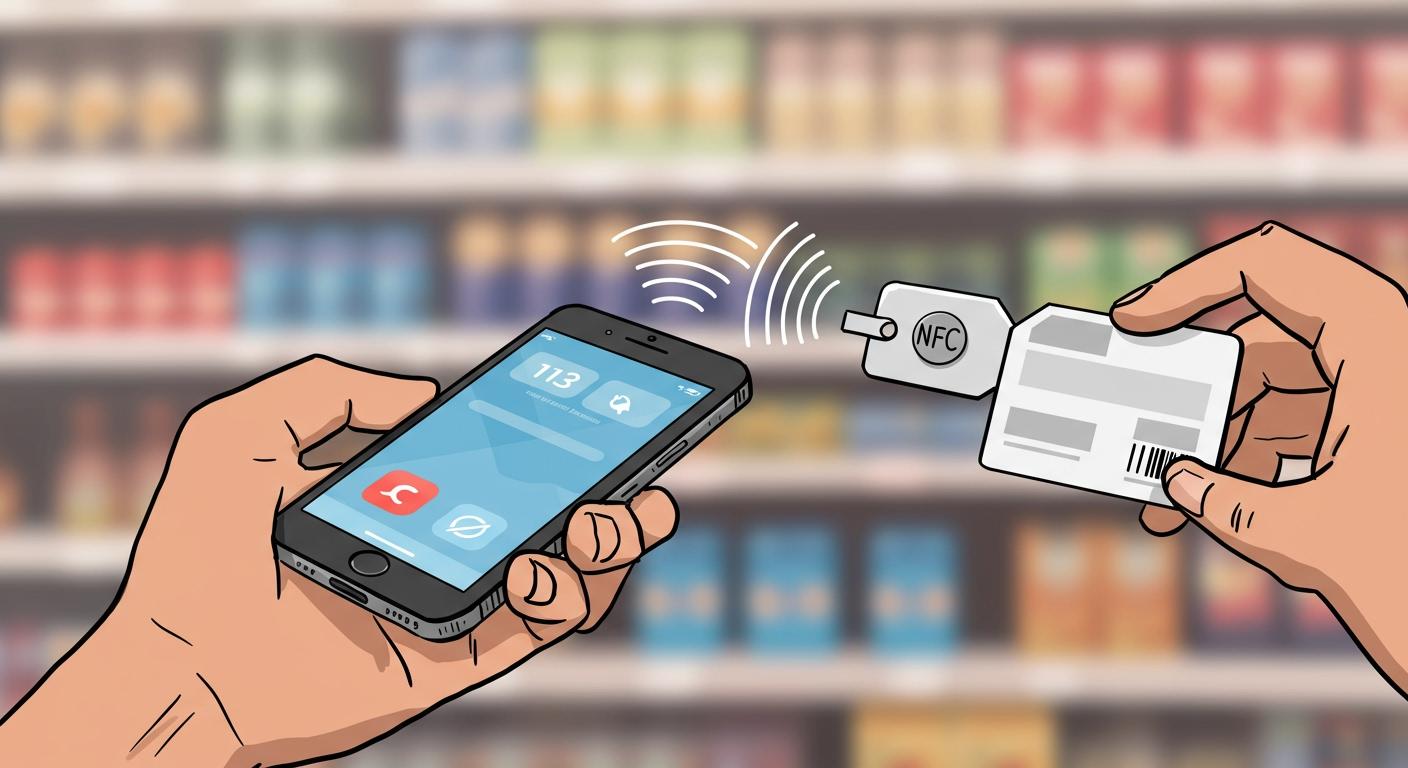
You can think of NFC tags as small, programmable stickers. Each one contains a tiny NFC chip that wirelessly transmits data. These NFC tags are digital triggers for real-world actions. The NFC chip inside has no battery. Instead, NFC-enabled devices activate it using short-range communication. With nearly 4.5 billion NFC-enabled devices expected by 2025, near field nfc is becoming universal. This widespread adoption fuels the growth of NFC technology.
The global near field communication market, valued at USD 21.69 billion in 2024, shows the power of NFC technology. Experts project this NFC market will grow at a rate of 12.3% annually from 2025 to 2030, making NFC tags even more common.
Key Takeaways
- NFC tags are small, battery-free stickers. They wirelessly send data to nearby devices like smartphones.
- NFC tags work through inductive coupling. Your phone creates a magnetic field that powers the tag and reads its information.
- NFC is very secure because it only works over short distances. This makes it good for payments and secure access.
- You can use NFC tags for many things. These include smart home control, quick payments, and sharing contact info.
- Most modern smartphones have NFC. You can easily read tags by holding your phone close to them.
What Are NFC Tags
At their core, NFC tags consist of two simple parts. You have a small microchip for storing data and an antenna for sending and receiving signals. The antenna is typically made from materials like copper or aluminum. Some manufacturing processes even use conductive inks to print the antenna directly onto a surface. These components work together to make NFC tags functional.
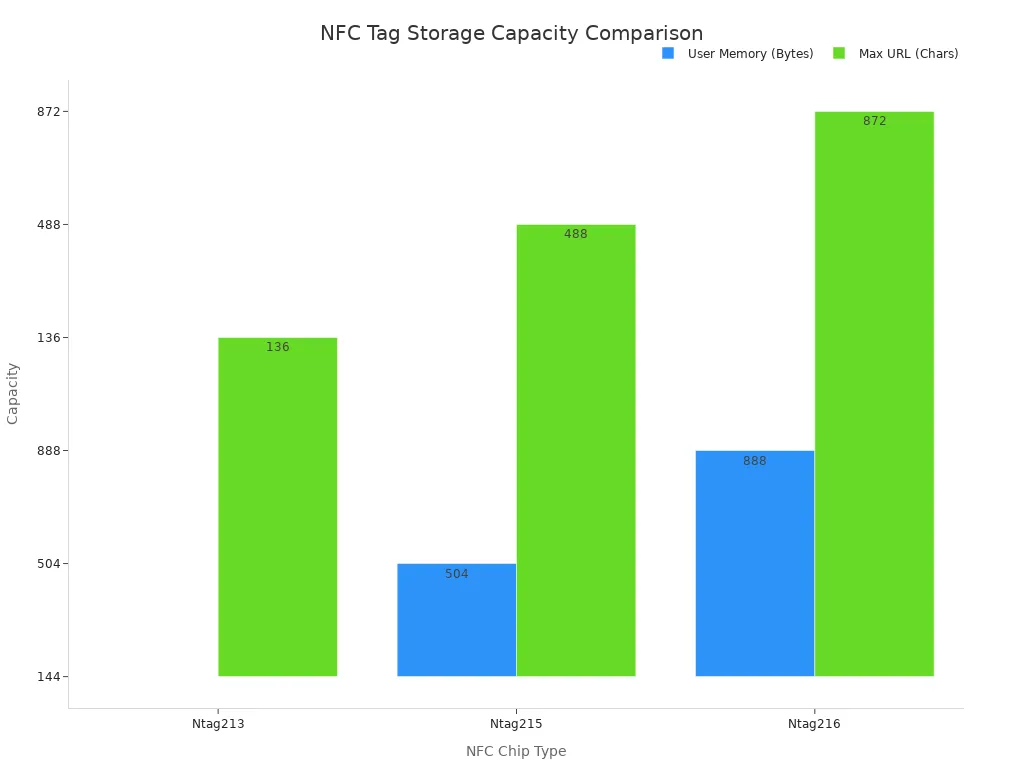
The NFC chip is the brain of the tag. It holds the information you want to share, such as a website link, contact details, or a command for a smart device. The amount of data an NFC chip can store varies by type. More memory allows you to store longer URLs or more complex information on your NFC tags.
| NFC Chip | Usable Memory | Max URL Length |
|---|---|---|
| NTAG213 | 144 Bytes | 136 Chars |
| NTAG215 | 504 Bytes | 488 Chars |
| NTAG216 | 888 Bytes | 872 Chars |
How Inductive Coupling Works
You might wonder how NFC tags work without a battery. They use a clever process called inductive coupling. An NFC reader, like your smartphone, generates a magnetic field. When you bring your phone close to an NFC chip, this field creates an electric current in the tag's antenna. This current provides just enough power for the NFC chip to activate and transmit its data back to the NFC reader. This entire exchange happens over a 13.56 MHz radio frequency, which is governed by the ISO/IEC 14443 standard for proximity cards. The NFC reader powers and reads the NFC chip in one quick action.
The Power of Near Field NFC
The "near field" part of near field NFC is its most important feature. NFC technology is designed for very short-range communication, typically less than 4 centimeters (about 1.6 inches). This close proximity is a key difference from other wireless technologies like Bluetooth, which can operate over much longer distances.
This short range is a major security advantage. Because an NFC reader must be extremely close to the NFC tags, it makes it very difficult for an unauthorized device to intercept the signal. This inherent security makes near field NFC an excellent choice for sensitive applications. The NFC technology behind contactless payments and secure access systems relies on this principle to keep your information safe. This is why you can trust NFC for secure transactions.
Common Uses for NFC
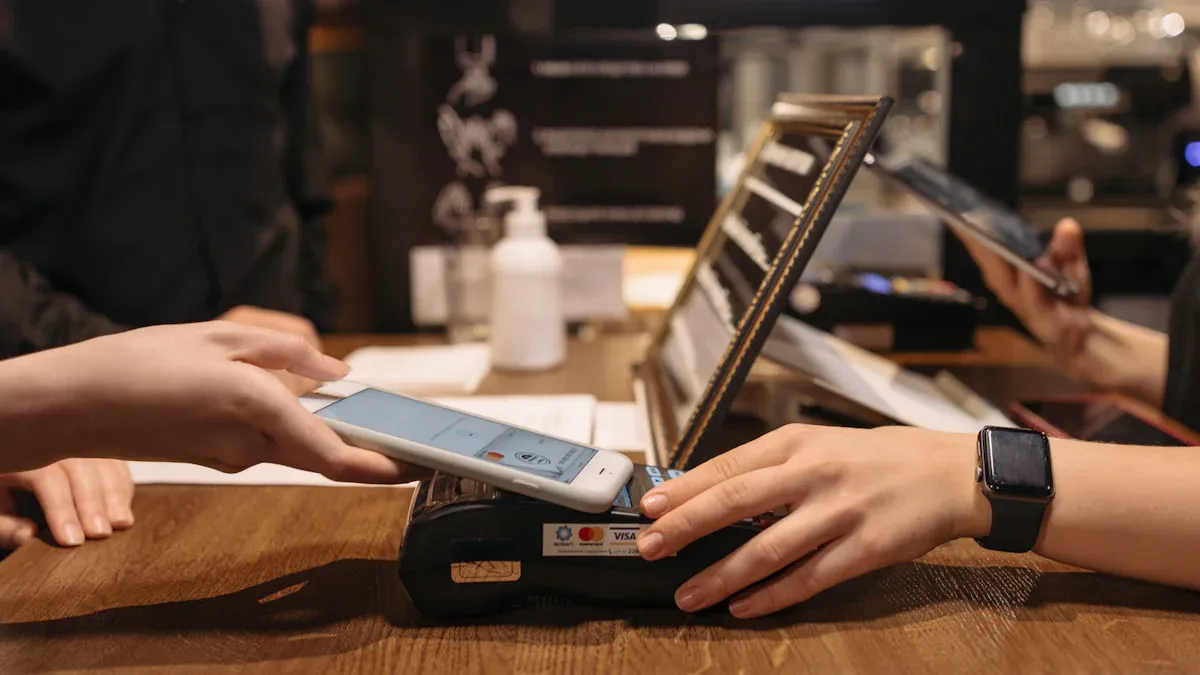
The true power of NFC tags comes from their versatility. You can find them in countless scenarios, bridging the gap between your physical environment and your digital world. The practical applications of nfc tags are growing every day as more industries discover their potential. From retail to healthcare, businesses are using this technology to speed up interactions and provide customized content. Let's explore some of the most common ways nfc tags are used.
Smart Home Automation
You can transform your home into a smart, responsive environment with NFC tags. By placing these small stickers in strategic locations, you can trigger complex automation routines with a simple tap of your phone. Imagine the convenience this adds to your daily life. One of the benefits of using nfc tags is making your smart home even smarter.
You can program NFC tags to perform a wide range of actions. Here are a few popular ideas:
- Set the Mood: Place a tag near your couch. A single tap can dim the lights, close the smart blinds, and turn on your TV for the perfect movie night.
- Morning Routine: Put a tag on your nightstand. Tapping it when you wake up can start your coffee machine, turn on the bathroom lights, and give you a traffic report.
- Wi-Fi for Guests: Stick a tag near your router. Your guests can tap it with their nfc-enabled devices to connect to your Wi-Fi instantly without typing a password.
- Bedtime Mode: A tag by your bed can activate your phone's sleep mode, lock the front door, and arm your security system.
It is important to note that while Apple's HomeKit offers native support for NFC triggers through its Shortcuts app, Google Home currently does not. You can find workarounds, but they are not as seamless as a built-in feature.
Contactless Payments and Sharing
NFC technology is the engine behind the tap-to-pay systems you use every day. It has revolutionized how you make payments and share information, making transactions faster and more secure.
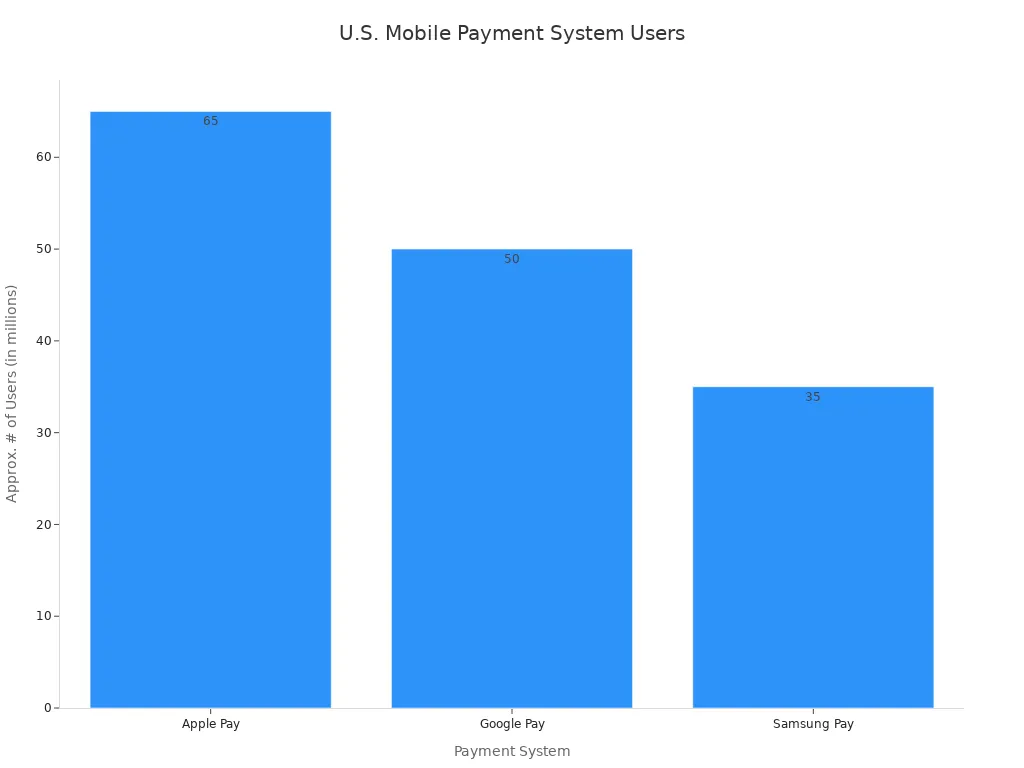
The nfc payment process is designed for security and speed. When you use services like Apple Pay or Google Pay, your actual card number is never shared with the merchant. Instead, the system uses a security method called tokenization. This creates a unique digital number, or "token," for your card that is stored securely on your device. Each transaction also generates a one-time dynamic security code. This two-part system makes the nfc payment process incredibly secure and protects you from fraud. These features are essential for enabling secure transactions.
| Mobile Payment Method | Approx. # of U.S. Users |
|---|---|
| Apple Pay | 65 million |
| Google Pay | 50 million |
| Samsung Pay | 35 million |
Beyond contactless payments, you can use NFC for instant sharing. Digital business cards are a great example. Platforms like Linq and Wave Connect let you embed an NFC chip into a card or accessory. When someone taps it with their phone, your contact details, portfolio, or social media profiles appear on their screen. You can also program NFC tags to share links to your Instagram, TikTok, or X profile with a single tap.
Device Pairing and Access
NFC simplifies connections and grants access in a variety of secure and convenient ways. This technology removes the friction from pairing devices and entering secure locations.
Have you ever struggled with pairing a new Bluetooth device? NFC makes it effortless. Many speakers and headphones, such as models from Cambridge Audio and Sony, include an NFC chip. You just tap your smartphone to the device, and it pairs automatically. You no longer need to search for devices in your Bluetooth settings.
NFC is also a cornerstone of modern access control and identity verification.
- Corporate Security: Many companies use employee badges with an embedded NFC chip. You can tap your badge on a reader to unlock doors, access secure areas like data centers, and log your entry times. This system is common in healthcare facilities, law offices, and manufacturing plants.
- Hotel Keys: The hotel industry has widely adopted near field nfc. Major chains like Hilton and Marriott now offer digital keys through their apps. You can use your phone as your room key, bypassing the front desk entirely.
- Digital Car Keys: Car manufacturers are also integrating NFC. Brands like BMW, Kia, Hyundai, and Mercedes allow you to unlock and start your car with your smartphone or smartwatch.
- Public Transit: Cities around the world use NFC for ticketing on buses and trains. You can tap your phone or a transit card to pay your fare, making your commute faster and more efficient.
Using NFC with Your Smartphone
Most modern nfc-enabled smartphones come with a built-in nfc reader. You just need to make sure the feature is turned on. Both Android and iOS have fully integrated nfc, making it easy to interact with nfc tags. The main differences between them are minor, such as the location of the nfc reader on the device and the specific apps you use for automation.
Enabling the NFC Feature
You can enable the nfc feature on your phone in a few simple steps. The process varies slightly between Android and iOS nfc-enabled devices.
For Android Users:
- Open your phone's Settings app.
- Go to Connected devices or Connections.
- Look for the NFC option and toggle the switch to turn it on.
For iPhone Users (iPhone 7 and newer):
- The nfc reader is always on for background tag reading. You do not need to enable it manually.
- For specific features like Apple Pay, you will set it up in the Wallet & Apple Pay section of your Settings.
How to Read a Tag
Reading nfc tags is incredibly simple. You do not need to open a special app. Your phone's nfc reader will automatically detect the tag when it is close enough.
To read a tag, you just place your phone over the NFC tag and hold it steadily for a moment. A notification will pop up on your screen. You can tap this notification to perform the action stored on the tag. The key is to position your phone's nfc reader correctly over the tag.
Tip 💡: The location of the nfc reader varies. On most iPhones, it is near the top edge. On Android nfc-enabled devices, it is often on the back, near the camera. A quick search for your specific model will show you the exact spot. Knowing this helps you get a fast and reliable scan every time you use nfc tags.
You can see that nfc tags are simple tools. They use short-range communication to connect your physical and digital worlds. You can make secure payments, share content, and automate tasks with just a tap. This versatile nfc technology makes your devices smarter and your life more convenient. The future of nfc technology promises even more, with features like wireless charging for tiny gadgets. These powerful nfc tags continue to unlock new possibilities. 💡
FAQ
What are the different types of nfc tags?
You will find many types of nfc tags available. They differ in memory size, data transfer speed, and security features. The NTAG series (like NTAG213 or NTAG216) is very popular. Your project needs will determine the best tag for you.
Can I reuse or rewrite an NFC tag?
Yes, you can rewrite most NFC tags thousands of times. You use an app on your smartphone to change the data stored on the tag. You also have the option to permanently lock a tag to prevent anyone from changing its data.
Do NFC tags work with all phones?
Most modern smartphones support NFC technology. However, some older or budget models may not have an NFC reader. You should check your phone's specifications in the settings menu or online to confirm if your device is compatible.
How do I choose between the different types of nfc tags?
You should choose a tag based on your needs. A simple website link requires very little memory. A digital business card with more information needs a tag with a larger capacity. Considering the various types of nfc tags helps you find the perfect fit.
What are the main nfc tag types?
The main nfc tag types are organized into five categories. Each type offers different capabilities for your projects. These types of nfc tags are defined by the NFC Forum to ensure they work correctly with all devices.
| Tag Type | Based On | Common Use |
|---|---|---|
| Type 1 | ISO/IEC 14443A | Simple data, read-only |
| Type 2 | ISO/IEC 14443A | URLs, text, rewritable |
| Type 3 | FeliCa | Payments, transit (Asia) |
| Type 4 | ISO/IEC 14443A/B | Secure applications |
| Type 5 | ISO/IEC 15693 | Item tracking, library books |