Universal Serial Bus USB Definition The Story Behind The Standard
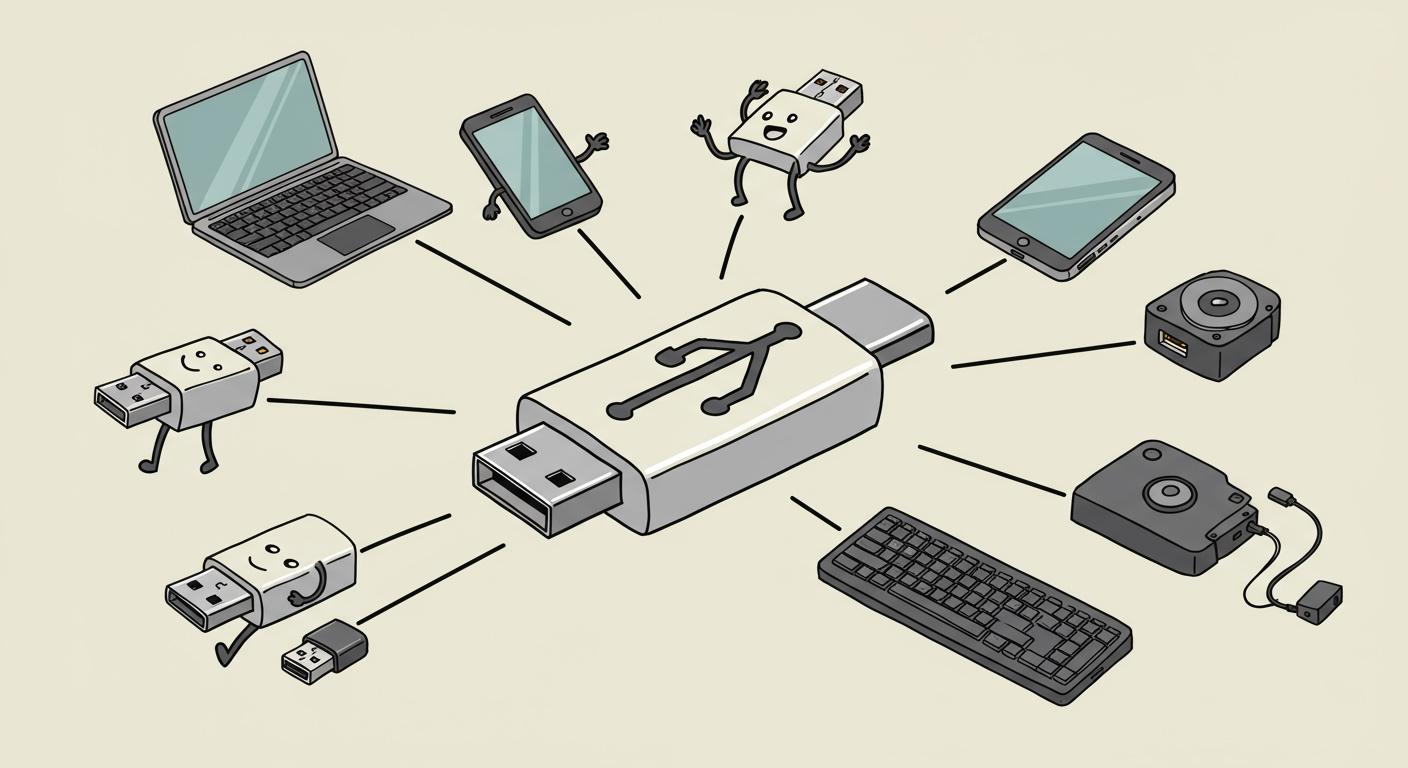
The universal serial bus usb definition is simple. Developers created it to replace the chaotic mess of different computer ports. Early PC users faced a frustrating "tech Babel." Every device required its own unique, non-interchangeable connector and a complex setup process. The goal was to create a single, easy-to-use standard that simplified computing for everyone.
The new universal serial bus promised a true "plug and play" experience. This new USB standard meant users no longer needed to manually configure settings or install extra hardware cards just to connect a simple USB device.
Key Takeaways
- Before USB, connecting devices to computers was hard. Each device needed a different port and complex setup.
- USB was created to make connecting devices easy. It offered one simple plug for many different devices.
- USB brought "plug and play" to computers. This meant devices worked right away without special settings.
- USB combined power and data into one cable. This reduced clutter and made devices easier to use.
- The iMac G3 helped make USB popular. It only had USB ports, so device makers had to use the new standard.
Universal Serial Bus USB Definition: The Problem
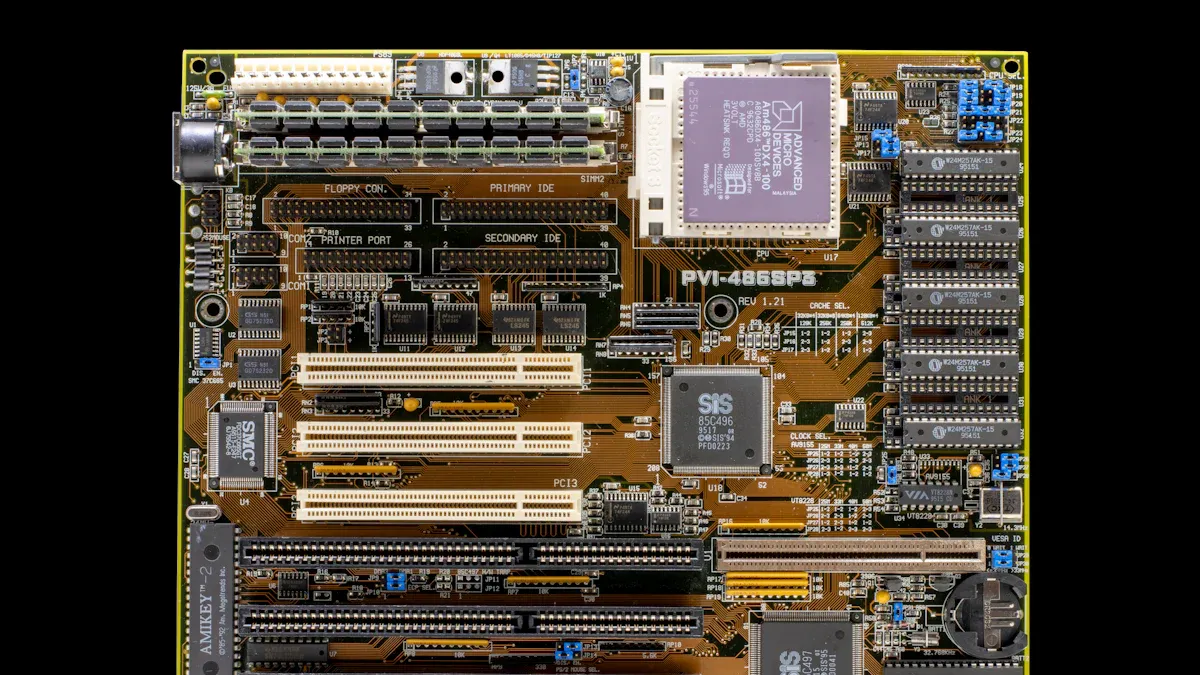
Before the universal serial bus brought order, connecting devices to a personal computer was a difficult task. Users faced a confusing array of ports and a high risk of technical problems. This environment created significant barriers for everyday people trying to use technology. The universal serial bus usb definition itself grew from the need to solve these widespread issues.
The Chaos of Competing Ports
Early PCs looked like a puzzle on the back. Each peripheral device required a specific type of port, and none of them were interchangeable. This created a physical "port chaos" that frustrated many users. A mouse plug would not fit in a printer port, and a joystick had its own unique connector.
The most common ports each served a narrow purpose.
- Serial Ports (RS-232): These ports sent data one bit at a time. They were slow but reliable for devices that did not need high speed. Common serial devices included:
- Modems
- Terminals
- Some printers
- Barcode scanners
- Parallel Ports: These ports appeared in the early 1980s and sent multiple bits of data at once. This made them much faster than serial ports. Printers became their main application. However, many other devices also used them, such as Zip drives, scanners, and even early MP3 players for song transfer.
- PS/2 Ports: IBM introduced this port specifically for keyboards and mice. It used a dedicated microcontroller on the motherboard. This design meant it was not a generic port. You could not plug a printer or scanner into a PS/2 port, which added to the confusion. Even the keyboard and mouse PS/2 ports were often not interchangeable with each other.
- Game Ports: Gamers had their own 15-pin connector. The original design supported two joysticks. However, many manufacturers created ports that only supported one. Advanced joysticks with more buttons required special drivers, making setup a chore. The arrival of usb would eventually make this port obsolete.
This system forced users to know exactly which port their device needed. A mistake meant the device simply would not work. The dream of a simple connection was far from reality before the first usb devices appeared.
Hardware and Resource Conflicts
The problems went deeper than just physical plugs. Inside the computer, a battle for resources was constantly happening. Each piece of hardware needed to communicate with the computer's central processing unit (CPU). To do this, each device required two things: an Interrupt Request (IRQ) and a unique I/O address.
An I/O address is a specific location in memory that the CPU uses to send and receive data from a device. Think of it like a mailbox for each component.
In early PCs, these resources were extremely limited. If two devices tried to use the same I/O address, a hardware conflict occurred. This could cause one or both devices to stop working, or even crash the entire system. Adding a new sound card could disable your network card. Installing a new modem might conflict with an existing port. The universal serial bus usb definition was designed to eliminate this internal chaos. The future usb technology would manage all of this automatically.
Users often had to manually resolve these conflicts by physically moving small plastic blocks called jumpers or flipping tiny DIP switches on the hardware cards. This process was complex and required technical knowledge. The table below shows just a sample of the complex I/O address assignments users had to navigate.
| I/O Address | Common Device Assignment |
|---|---|
| 220h | Sound Blaster-type sound cards |
| 278h | LPT2 or LPT3 (Parallel Port) |
| 2F8h | COM 2 (Serial Port) |
| 300h | Network Interface Card |
| 378h | LPT1 (Parallel Port) |
| 3F8h | COM 1 (Serial Port) |
This system was a major headache. Every new device was a gamble. The simplicity of a single usb port was the clear solution. A modern usb connection handles all this configuration invisibly.
The Need for Faster Data Transfer
The final major problem was speed. By the early 1990s, peripherals were becoming more powerful. Scanners captured higher-resolution images, and external storage devices grew in capacity. The old ports could not keep up. They created a bottleneck that limited what new hardware could do.
Serial and parallel ports were slow by modern standards.
- Serial port speeds often topped out at 115,200 bits per second (about 0.1 Mbps).
- Parallel ports were faster but still could not provide the bandwidth needed for emerging technologies.
This slow data transfer made simple tasks feel incredibly long. A large file transfer could take many minutes or even hours. The industry needed a new standard capable of high-speed serial communication. The upcoming usb 1.0 specification promised speeds of 1.5 Mbps and 12 Mbps. This was a massive leap forward. This new usb standard would unlock the potential for a new generation of powerful and easy-to-use peripherals, making the slow transfer speeds of older ports a thing of the past. The usb connection was built for both data and speed.
The Vision for a Universal Serial Bus
The chaos of early computing demanded a solution. A group of leading technology companies, led by Intel, shared a vision for a better way. They aimed to replace the confusing collection of ports with a single, intelligent, and truly universal standard. This vision was not just about tidying up cables; it was about fundamentally changing how people interacted with their computers. The universal serial bus usb definition was born from this forward-thinking goal.
A Single Standard for All Devices
The primary goal was to create one versatile interface for a huge range of peripherals. Developers wanted a single connector that could handle everything from a simple mouse to a complex printer. This new standard would eliminate the need for users to guess which plug went into which port. The plan was for one type of usb port to replace serial ports, parallel ports, PS/2 ports, and game ports entirely.
The business motivation behind this was also strategic. A simple and widely adopted usb interface would encourage consumers to buy and connect more devices. More connected devices would run more software and perform more tasks. These activities use more of a computer's processing power. This increased demand for CPU cycles would, in turn, drive sales of more powerful processors, creating a cycle of growth for the industry.
The vision was for a future where any usb device could connect to any computer with a usb port, without hassle.
True Plug and Play Simplicity
The second part of the vision was to deliver a true "plug and play" experience. The team wanted to end the era of manual configuration. Users should not need to open their computers to flip switches or assign system resources. The new usb technology was designed to be intelligent.
This new system would automate the entire setup process:
- The computer would automatically detect when a new device was plugged in.
- It would identify the device and find the correct software driver for it.
- It would assign all necessary system resources without creating conflicts.
- The device would be ready to use almost instantly.
This process would make adding a new peripheral as easy as plugging in a toaster. The complexity of IRQs and I/O addresses would become a thing of the past, managed invisibly by the usb system. This focus on simplicity was key to making computers more accessible to everyone, not just tech experts. The high-speed serial communication protocol was designed to make this seamless data transfer possible.
Power and Data in One Cable
The final piece of the vision was to combine power and data into a single cable. Many older devices, like external modems or scanners, needed their own bulky power adapters. This created a mess of cables and required a free power outlet for each peripheral. The universal serial bus aimed to clean up this clutter.
The initial usb specification was designed to deliver power directly through the same cable used for data transfer. The first usb 1.0 standard provided 2.5 watts of power, delivering 5 volts at 500 milliamps. This was not enough to power a large printer, but it was perfect for smaller devices like keyboards, mice, and webcams. This feature meant these devices would no longer need a separate power brick. This elegant solution of a single usb cable for both power and data transfer was a major step forward in convenience and user-friendly design. The specification for the usb connection made it a truly all-in-one solution.
The History and Development of USB
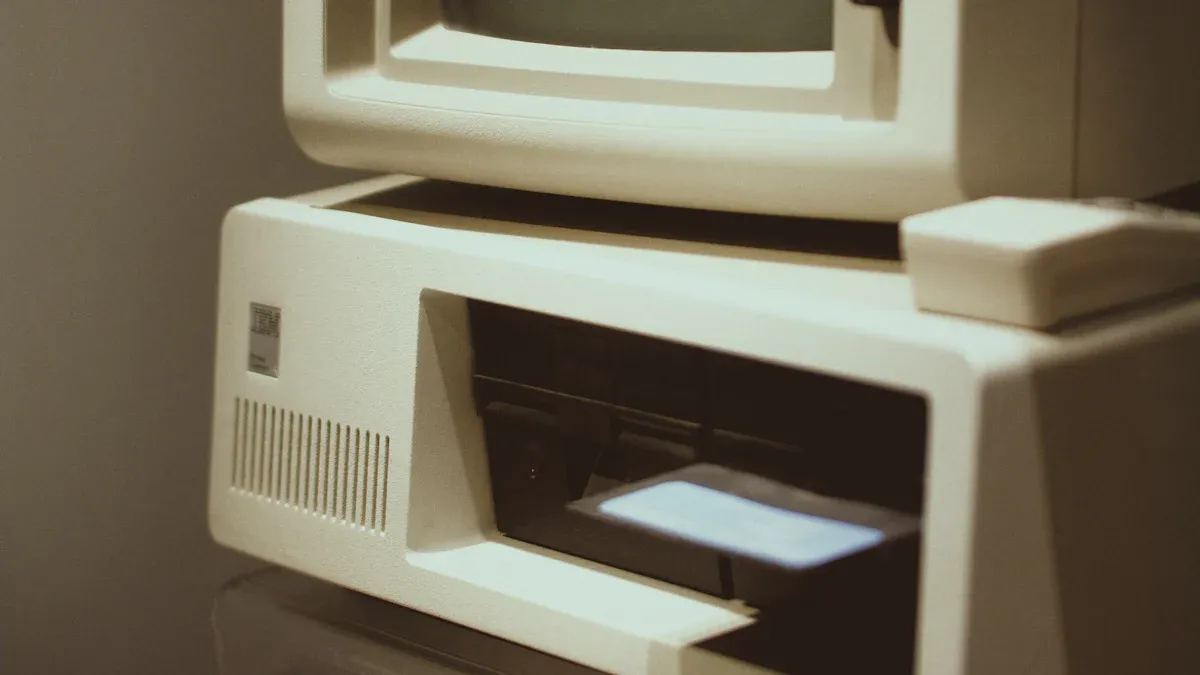
The vision for a universal standard required a major industry effort. The history of the universal serial bus is a story of collaboration, smart design, and perfect timing. This evolution from a chaotic past to a streamlined present did not happen overnight. It was the result of focused engineering and key market events.
The Intel-Led Development Team
In the early 1990s, a group of technology companies came together to solve the port problem. Intel led this effort, with Ajay Bhatt serving as the lead architect. His team at Intel Architecture Labs spearheaded the development of the new usb technology. They formed the USB Implementers Forum (USB-IF) to guide the new standard. The founding companies included:
- Compaq
- Digital
- IBM
- Intel
- Microsoft
- NEC
- Nortel
Intel's motivation was strategic. The company knew that a simple, high-use port would encourage people to connect more devices. More devices meant more computer usage, which would drive demand for faster processors. The group released the official usb specification 1.0 in January 1996, marking a major milestone in the history of personal computing.
Key Features That Drove Adoption
The usb specification introduced several revolutionary features. One of the most important was "hot-swapping." This allowed users to plug in or unplug a usb device without restarting the computer. Another key feature was the tiered-star topology. This design allowed a single host to connect with up to 127 devices through hubs, creating massive expansion possibilities. The usb standard also defined two speeds for data transfer. The revised usb 1.1 specification fixed early issues and solidified these speeds.
These features made the usb connection incredibly flexible and user-friendly. The combination of easy connection, power delivery, and good data transfer speeds made the usb a clear winner.
The Impact of Windows 95 and iMac G3
The history of usb adoption had two key moments. Microsoft first introduced support for usb in a later version of Windows 95. However, it was Apple's iMac G3 in 1998 that forced the industry to change. The iMac G3 famously removed all old ports, leaving only usb for peripherals.
This bold move created an immediate need for usb mice, keyboards, printers, and storage. Peripheral makers, who had been slow to adopt the usb standard, rushed to create compatible products. They even made external usb floppy drives for iMac users. The iMac's success made usb a necessity, cementing its place as the dominant interface and accelerating the evolution of usb technology.
The universal serial bus was a revolutionary invention born from necessity. It brought order to the chaos of early computing. The universal serial bus usb definition is now synonymous with simplicity.
This single usb standard transformed device connection into an effortless action. The usb fulfilled its promise, making technology accessible to everyone.
Today, the usb connection powers everything from printers to smartphones. The success of the usb is a testament to its original vision.
FAQ
What is the difference between usb and usb-c?
The term usb refers to the overall technology standard. The term usb-c refers to a specific physical connector shape. The modern usb-c plug is small and oval. A usb-c plug is reversible. This usb-c design is a key part of the modern usb ecosystem. The usb-c connector is the newest usb plug.
Why is usb-c so popular? 🧐
The usb-c connector is very versatile. A single usb-c cable can handle high-speed data transfer and power delivery. This usb-c design simplifies connections. The usb-c plug works with many usb standards. The usb-c port is now common on most new devices, making it a universal usb solution.
Can all usb-c cables transfer data at the same speed?
No. The cable and the device's usb port determine the speed. A usb-c cable might support a fast usb standard, but the device might not. The usb type-c cable is just the physical part. The underlying usb technology dictates the transfer capability for that specific usb-c port.
Tip: Always check the usb specification of your device and usb-c cable to ensure you get the best transfer speeds. A usb-c cable for a simple usb charger may not support high-speed data transfer. The usb-c standard is flexible.
What do the different usb version numbers mean?
The usb version numbers show the evolution of the usb standard. Higher numbers generally mean faster data transfer speeds and more features. The usb-c connector can support many of these different usb speeds. A usb-c port can support usb 4 speeds. The usb-c plug is the future of usb.
| USB Version | Common Max Speed |
|---|---|
| USB 2.0 | 480 Mbps |
| USB 3.2 Gen 1 | 5 Gbps |
| USB 3.2 Gen 2 | 10 Gbps |
| USB 4 | 40 Gbps |
The usb-c connector is a key part of the usb 4 specification. The usb-c plug is a powerful usb tool. The usb-c port is a modern usb feature. The usb-c cable is a common usb accessory. The usb-c standard is a big usb improvement. The usb-c plug is a great usb innovation.