Choosing Between T568A and T568B for Your RJ45 Wiring Needs
When you work with RJ45 connectors, choosing between t568a and t568b matters for compatibility. In most business or commercial settings in the US, you will find t568b as the standard. For homes or when you must match existing wiring, t568a is often the right pick. The only real difference is the swap between the green and orange pairs in the rj45 color code. You get the same speed and quality with both.
Key Takeaways
- T568A and T568B differ only in the order of the green and orange wire pairs but deliver the same network speed and quality.
- Always use the same wiring standard on both ends of your cable to keep your network reliable and avoid connection problems.
- T568A is common in homes and government buildings, while T568B is widely used in commercial and business networks.
- Mixing T568A and T568B on the same cable creates a crossover cable, which can cause issues unless intended for specific device connections.
- Follow best practices like labeling cables, testing with a cable tester, and avoiding sharp bends to build a strong and easy-to-manage network.
Differences Between T568A and T568B
When you look at the differences between t568a and t568b, you will notice that the main technical change is the swap between the green and orange wire pairs. Both standards follow the same rules for network performance and device compatibility. You will not see any difference in speed or quality if you use either one, as long as you keep the wiring consistent on both ends of your cable.
Color Code Pinouts
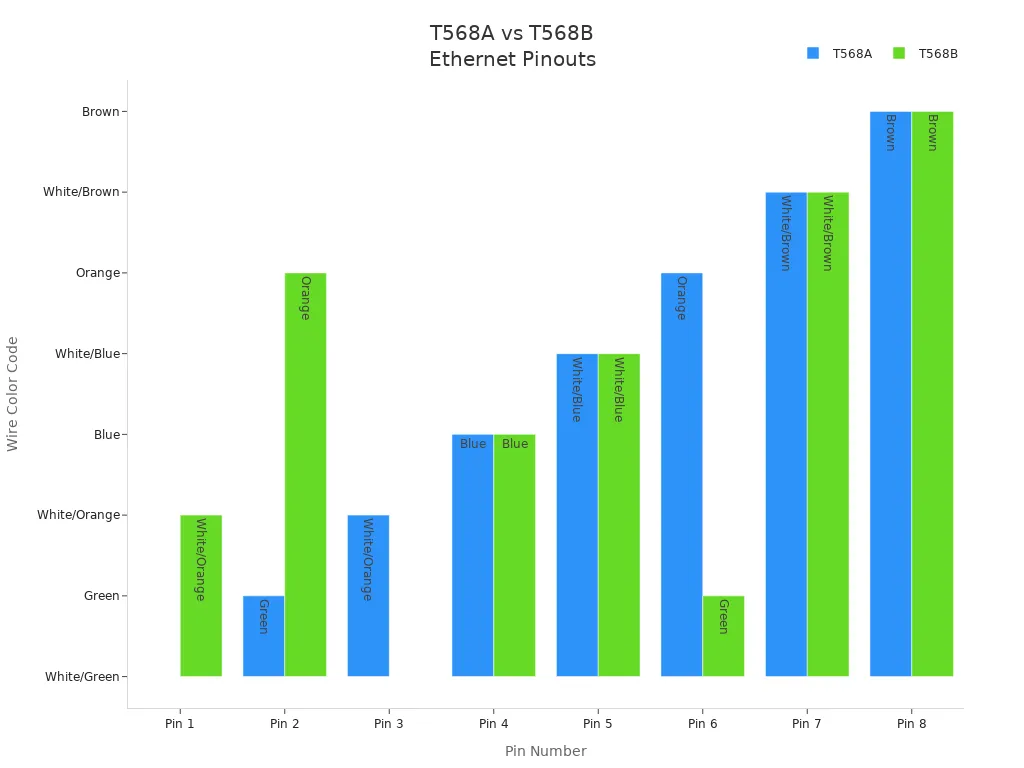
The rj45 color code for t568a and t568b shows how each wire connects to the pins inside the rj45 connector. The key differences between t568a and t568b appear in the color patterns for pins 1, 2, 3, and 6. In t568a, the green pair goes to pins 1 and 2, while the orange pair goes to pins 3 and 6. In t568b, this order is reversed: the orange pair connects to pins 1 and 2, and the green pair connects to pins 3 and 6. The blue and brown pairs stay the same in both standards.
Here is a table that shows the rj45 color code for each standard:
| Pin Number | T568A Color Code | Signal | T568B Color Code | Signal |
|---|---|---|---|---|
| 1 | White/Green | Transmit + (Tx+) | White/Orange | Transmit + (Tx+) |
| 2 | Green | Transmit - (Tx-) | Orange | Transmit - (Tx-) |
| 3 | White/Orange | Receive + (Rx+) | White/Green | Receive + (Rx+) |
| 4 | Blue | Unused/PoE | Blue | Unused/PoE |
| 5 | White/Blue | Unused/PoE | White/Blue | Unused/PoE |
| 6 | Orange | Receive - (Rx-) | Green | Receive - (Rx-) |
| 7 | White/Brown | Unused/PoE | White/Brown | Unused/PoE |
| 8 | Brown | Unused/PoE | Brown | Unused/PoE |
You can also see the distinctions in this chart, which compares the color codes for each pin:
Tip: Always use the same rj45 color code on both ends of your cable. This keeps your network reliable and easy to troubleshoot.
Swapped Wire Pairs
The most important thing to remember about t568a and t568b is the swapped wire pairs. In t568a, the green pair starts at pins 1 and 2, while in t568b, the orange pair takes those spots. This swap does not affect how your network works. Both standards support the same Ethernet protocols and Power over Ethernet features.
- The rj45 color code for t568a and t568b only changes the order of the green and orange pairs.
- Both standards work the same way if you use the same wiring on both ends.
- Mixing t568a on one end and t568b on the other creates a crossover cable. This can cause problems if you do not intend to make a crossover connection.
- Consistency is the most important rule. Always match the wiring standard at both ends of your rj45 cable.
You will not find any performance or compatibility issues if you keep the wiring the same. The distinctions between t568a and t568b come down to color patterns and historical preferences. T568a is often used in homes and government buildings, while t568b is more common in commercial networks. Both standards exist to give you flexibility, but your main goal should be to avoid mixing them in the same network.
RJ45 Color Code Standards
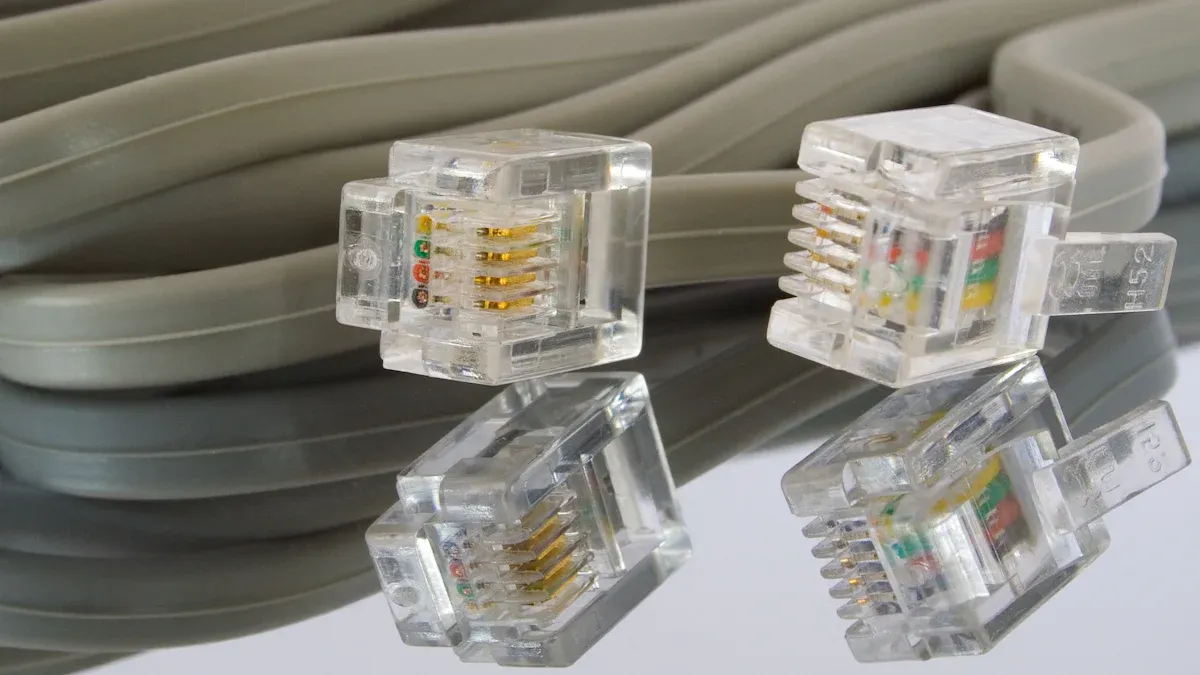
T568A and T568B Explained
You may wonder why there are two main ethernet wiring standards for RJ45 connectors. The Telecommunications Industry Association (TIA) created both T568A and T568B to organize the rj45 color code for network cables. These standards help you match the right wire to the right pin inside the connector. The main difference between t568a and t568b is the wiring arrangement of the green and orange pairs. T568A puts the green pair on pins 1 and 2, while T568B puts the orange pair there instead.
Here is a table that compares the official definitions and purposes of these wiring standards:
| Aspect | T568A | T568B |
|---|---|---|
| Official Recognition | Preferred wiring pattern under ANSI/TIA-568.2-D standard | Allowed wiring pattern under ANSI/TIA-568.2-D standard |
| Wiring Color Arrangement | Green pair on pins 1 and 2; Orange pair on pins 3 and 6 | Orange pair on pins 1 and 2; Green pair on pins 3 and 6 |
| Backward Compatibility | Provides backward compatibility to both one-pair and two-pair USOC wiring schemes | Provides backward compatibility only to single-pair USOC wiring scheme |
| U.S. Government Requirement | Required for wiring under federal contracts | Not required |
| Performance | Identical transmission performance and support for Ethernet protocols | Identical transmission performance and support for Ethernet protocols |
| Usage Context | Often preferred in commercial and industrial settings for backward compatibility | More widely used in enterprise and commercial installations |
| Key Purpose | Ensures compatibility with older telephone wiring and federal standards | Matches older AT&T 258A color code, common in commercial environments |
| Important Note | Consistency in wiring is critical; mixing standards can cause signal issues | Consistency in wiring is critical; mixing standards can cause signal issues |
Note: Both t568a and t568b give you the same network speed and quality. The most important thing is to use the same standard on both ends of your cable.
Wiring Codes T568A vs T568B
When you look at the wiring codes t568a vs t568b, you will see that the rj45 color code changes only for the green and orange pairs. The blue and brown pairs stay in the same place. The table below shows the exact t568a wire arrangement and t568b wire arrangement for each pin on the rj45 connector:
| Pin Number | T568A Wire Color | T568B Wire Color |
|---|---|---|
| 1 | White/Green | White/Orange |
| 2 | Green | Orange |
| 3 | White/Orange | White/Green |
| 4 | Blue | Blue |
| 5 | White/Blue | White/Blue |
| 6 | Orange | Green |
| 7 | White/Brown | White/Brown |
| 8 | Brown | Brown |
You should always follow these color code standards when making ethernet cables. If you use a non-standard wiring arrangement, your network may not work as expected. Problems like slow speeds, dropped connections, or even hardware damage can happen if you do not follow the correct wiring standards. The TIA recommends picking either the t568a wiring standard or t568b and using it everywhere in your network.
- Using the right rj45 color code keeps your network reliable.
- Always check your wiring before finishing the installation.
- Consistency in wiring standards helps you avoid troubleshooting headaches.
Performance and Compatibility
Network Speed and Quality
You might wonder if choosing T568A or T568B affects your network speed or quality. Both wiring standards deliver the same performance for Ethernet networks. The arrangement of the wire pairs inside the rj45 connector does not change how fast your data moves or how clear your signal stays. As long as you use the same standard on both ends, your network will support speeds up to 1 Gbps and beyond.
To keep your network running smoothly, you should pay attention to a few important details during termination:
- Use a quality crimping tool to make sure each wire sits firmly in the connector.
- Double-check that the cable category matches your network needs.
- Keep cable runs under 100 meters to avoid signal loss.
- Clean connectors and ports to prevent dust from causing problems.
- Inspect cables for bends or damage before finishing the job.
Tip: Always use a cable tester after termination. This tool helps you spot wiring mistakes before they cause network issues.
Mixing T568A and T568B
Mixing T568A and T568B on the same cable creates a crossover cable. This type of cable swaps the transmit and receive pairs. In the past, you needed crossover cables to connect similar devices, like two computers or two switches, directly. Today, most modern devices support Auto-MDI/MDIX. This feature lets ports adjust automatically, so you can use either straight-through or crossover cables without worry.
Here is a table that shows the difference between straight-through and crossover cables:
| Aspect | Straight-Through Cable | Crossover Cable |
|---|---|---|
| Wiring Configuration | Same on both ends (e.g., T568B to T568B) | One end T568A, other end T568B |
| Typical Usage | Connects different device types | Connects similar device types |
| Network Flexibility | High, especially with Auto-MDI/MDIX | Still needed for some older devices |
| Speed and Efficiency | Supports high-speed Ethernet | Supports high-speed Ethernet |
If you mix T568A and T568B by accident, you may face network problems. Always check your rj45 termination at both ends. Use a cable tester to confirm the wiring matches your chosen standard. This simple step saves you time and helps you avoid common troubleshooting headaches.
Typical Use Cases for T568A and T568B
Residential vs. Commercial
When you set up a network, you need to know where each wiring standard fits best. In most homes, t568a is the common choice. Many older houses and government buildings use t568a because it matches older phone wiring. If you want to keep things simple and avoid confusion, you should check your existing cables before starting. This helps with cable identification and keeps your network running smoothly.
In commercial spaces, t568b is the standard you will see most often. Offices, data centers, and business networks almost always use t568b. Here are some reasons why t568b is so popular in these places:
- Most Ethernet patch cables and pre-made cables use t568b.
- It works well with Cat5e, Cat6, and newer cables found in modern offices.
- t568b supports high-speed networks, including Gigabit and 10 Gigabit Ethernet.
- Using t568b makes troubleshooting easier because it matches what most businesses already have.
- It helps reduce signal problems and keeps your network reliable.
If you work in a business or plan to expand your network, t568b is usually the best choice.
Regional and Industry Preferences
The choice between t568a and t568b often depends on where you live and the type of building you are wiring. In the United States, t568a was once required for government contracts and many homes. Today, you can pick either standard, but you should stay consistent throughout your network. Most commercial buildings in the U.S. use t568b because of past habits and the need to match older systems.
Globally, there is no strict rule that says you must use t568a or t568b. Many countries let you choose based on your needs or what is already in place. The most important thing is to use the same standard everywhere in your network. This helps you avoid mistakes and makes future upgrades easier.
Here is a quick look at trends in cable use:
| Region | Common Standard | Typical Cable Types | Main Application Areas |
|---|---|---|---|
| United States | T568B | Cat5e, Cat6 | Offices, data centers, homes |
| Asia-Pacific | T568A or T568B | Cat6a, Cat7, Cat8 | Data centers, smart buildings |
| Europe | T568A or T568B | Cat6, Cat7 | Commercial, industrial, homes |
Note: Always check your local guidelines and match the wiring already in place. Consistency with t568a and t568b is key for a smooth network.
Choosing the Right Wiring Standard
Matching Existing Infrastructure
When you choose between t568a and t568b, you should always start by looking at your current setup. Matching your new cables to the existing wiring standards in your building helps you avoid confusion and network problems. If you see t568a used in your wall jacks or patch panels, you should stick with t568a for all new cables. The same rule applies if you find t568b already in place.
You also need to think about local rules and any special requirements for your building. Some government buildings require t568a, while most commercial spaces in North America use t568b. If you are not sure, ask a professional installer or check with local authorities.
Here are some important factors to consider when matching new RJ45 wiring to your existing infrastructure:
- Follow structured cabling standards like ANSI/TIA-568 and ISO/IEC 11801 to keep your network reliable.
- Label and color-code all cables for easy identification and future troubleshooting.
- Make sure your cable length does not exceed the recommended limit to maintain strong signals.
- Use the same wiring standards throughout your network to prevent wiring errors.
- Plan your installation to avoid conflicts with other trades and reduce the risk of cable damage.
- Hire experienced low-voltage wiring specialists for complex jobs.
- Think about future needs, such as adding more devices or upgrading your network.
Tip: Always check both ends of your cables before finishing a cable termination. This step helps you catch mistakes early and keeps your network running smoothly.
Consistency and Best Practices
Consistency is the most important rule when working with t568a or t568b. You should pick one wiring standard and use it everywhere in your network. Mixing the two standards can cause big problems, such as connectivity issues and hard-to-find errors. Only use both standards together if you want to make a crossover cable on purpose.
Here are some best practices to help you keep your network consistent and reliable:
- Choose either t568a or t568b and use it for every cable termination, patch panel, and wall outlet.
- Clearly label each cable and document which wiring standard you used. This makes future repairs and upgrades much easier.
- Always follow the correct wiring scheme during cable termination to ensure proper data transmission.
- Avoid sharp bends and kinks in your cables. Use cable trays or Velcro straps to keep cables organized and safe.
- Add service loops at both ends of your cables. These loops give you extra length for changes or repairs.
- Test every cable after termination with a cable tester. This step checks for wiring mistakes and confirms good performance.
- Keep detailed records of your cabling system. Good documentation saves time during troubleshooting and upgrades.
Mixing t568a and t568b in the same network can lead to improper terminations and communication failures. It also makes troubleshooting much harder. Consistent wiring standards across all terminations, patch panels, and outlets help you avoid these issues. Proper documentation and labeling are key steps in preventing mistakes.
⚠️ Note: Both t568a and t568b support the same speeds and quality. Problems only happen when you mix standards or make errors during cable termination.
When you follow these best practices, you build a network that is easy to manage, reliable, and ready for the future. Always double-check your work and stick to one wiring standard for the best results.
When you choose between T568A and T568B, match your wiring to your current setup and needs. Both standards give you the same speed and quality. The table below highlights the key differences:
| Feature | T568A | T568B |
|---|---|---|
| Wire Pair Order | Green pair starts first | Orange pair starts first |
| Common Usage | Government, older networks | Commercial, modern networks |
| Compatibility | Legacy systems | Most modern Ethernet equipment |
Stay consistent with your wiring. Before you start, follow these steps:
- Strip the cable to show the wires.
- Arrange wires by your chosen standard.
- Insert wires into the RJ45 connector.
- Test the cable for correct wiring.
Double-check your work to avoid network issues and keep your connections strong.
FAQ
What happens if you mix T568A and T568B on the same cable?
If you wire one end as T568A and the other as T568B, you create a crossover cable. This cable swaps transmit and receive pairs. Most modern devices can handle this, but you should use the same standard for straight-through cables.
Can you use T568A and T568B in the same network?
You can use both standards in the same network, but you should not mix them on the same cable. Pick one standard for all terminations. This keeps your network simple and easy to troubleshoot.
Does the choice between T568A and T568B affect network speed?
No, both wiring standards support the same speeds. You get the same performance with either T568A or T568B. The only difference is the color order of the wires.
How do you know which standard your building uses?
Check the wiring on existing jacks or patch panels. Look at the color order of the wires. You can also ask your building manager or IT staff for the standard in use.
Do you need special tools to make T568A or T568B cables?
You need a cable stripper, a crimping tool, and an RJ45 connector. A cable tester helps you check your work. These tools work for both T568A and T568B wiring.
Tip: Always test your cables before using them in your network.