Everything You Need to Know About RJ11 Cable for Home Use
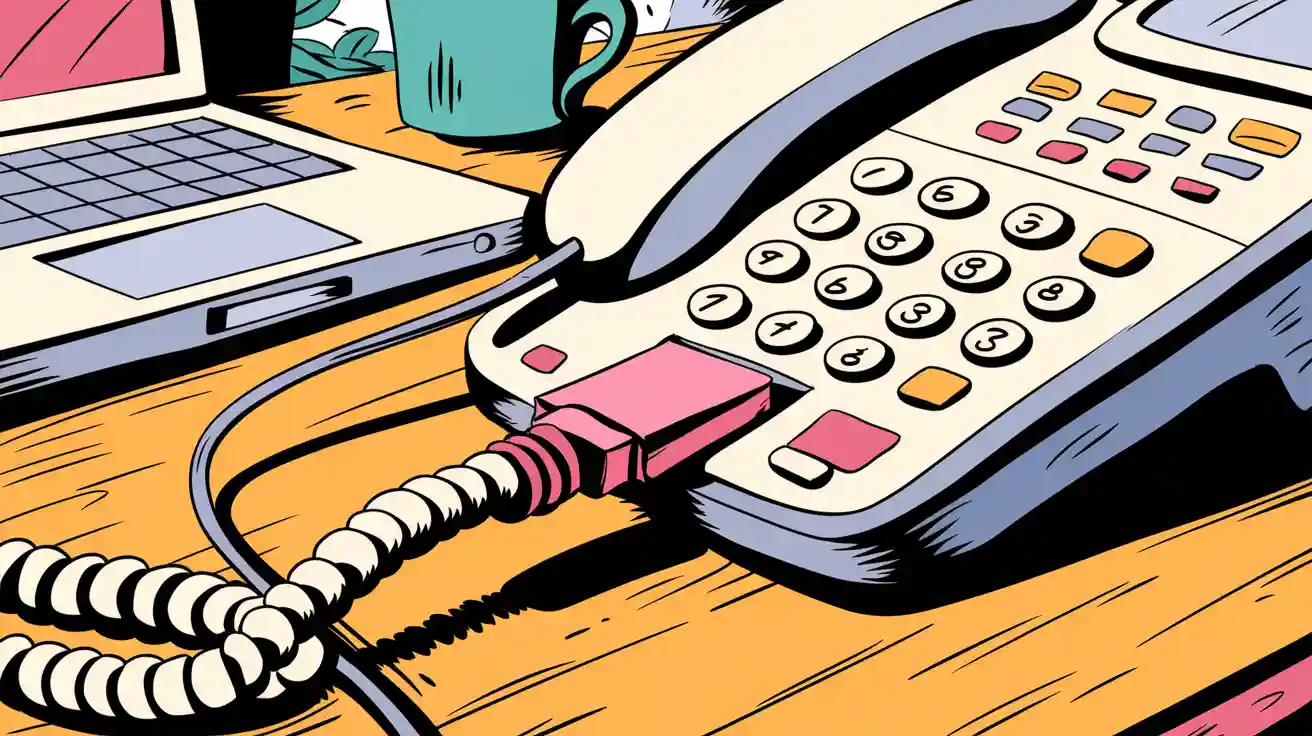
You probably see an rj11 cable every time you pick up your home phone. This small cable helps you use landline phones, connect to modems, and even send faxes. The rj11 connector fits into your phone jack and makes communication easy. When you connect an rj11 cable, you get a simple and reliable link for calls or internet. Many people choose rj11 for home use because it works well and does not cost much.
Tip: You can replace an old rj11 cable in minutes with basic tools.
Key Takeaways
- RJ11 cables connect home phones, fax machines, and DSL modems to wall jacks for clear calls and basic internet.
- The small, durable RJ11 connector fits easily in tight spaces and is simple to install without special tools.
- RJ11 supports voice and low-speed data but cannot handle high-speed internet like RJ45 cables.
- These cables are affordable, reliable, and easy to replace, making them ideal for most home phone setups.
- Always check cable condition and connections if you face issues, and use the right cable type for your devices.
RJ11 Cable Overview
What Is RJ11?
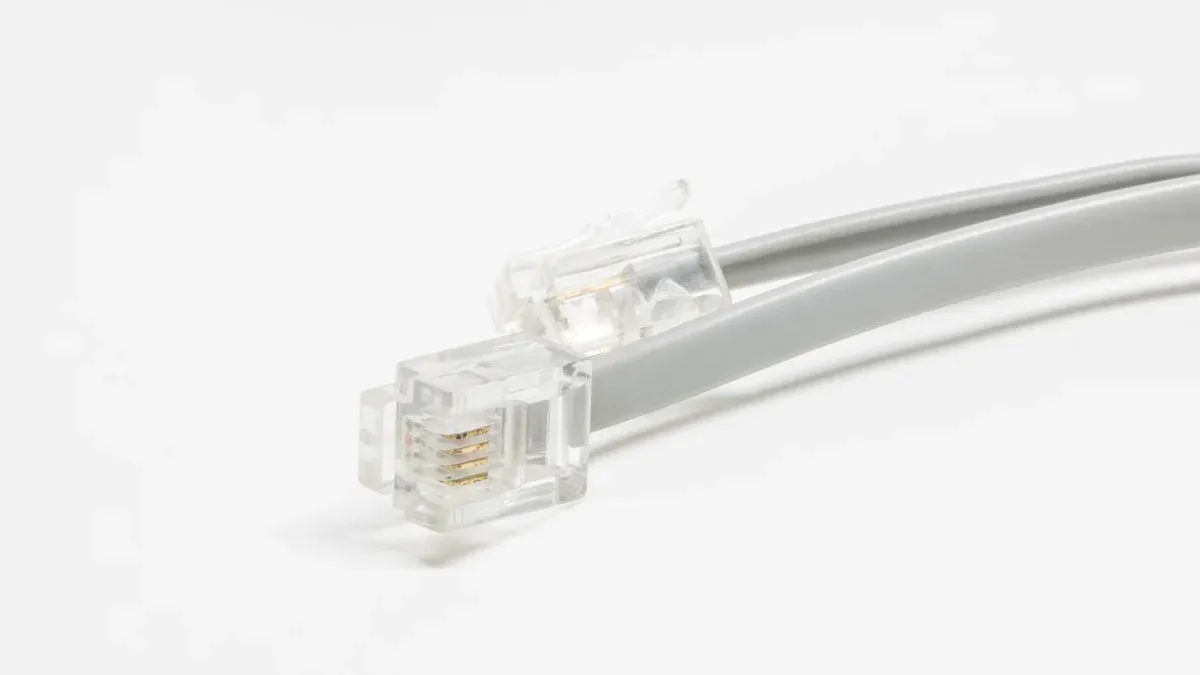
You may have heard the term registered jack 11, or RJ11, when talking about home phones or internet. RJ11 is a standard type of connector that links your telephone or modem to the wall jack. The RJ11 connector has a small, rectangular shape that fits easily into most phone jacks at home. You can spot it by its clear plastic body and gold-plated contacts.
The RJ11 cable became popular because it made connecting phones much easier. In the late 1960s and 1970s, the Bell System and federal regulators created the Registered Jack system to help people connect their own phones without help from a technician. RJ11 uses a 6-position, 2-conductor (6P2C) connector, which means it has six slots but usually only two wires for a single phone line. This design keeps things simple and reliable for home use.
You will find that the compact design of the RJ11 connector makes it perfect for tight spaces. You can quickly snap it in or out without special tools. The small size lets you fit several connections in one area, which is helpful if you have more than one phone or device. The materials used, like clear plastic and gold-plated contacts, make the cable durable and long-lasting.
Note: The RJ11 cable is not just for phones. You can use it for other devices that need a basic phone line connection.
RJ11 Cable Uses
You use RJ11 cables for many devices in your home. These cables help you connect to the public telephone network, send faxes, or even set up a home alarm system. Here are some of the most common uses:
- Single-line landline telephones use RJ11 cables to connect to the wall jack.
- DSL modems use RJ11 cables to link your phone line to the modem, so you can use the internet and make calls at the same time.
- Fax machines and dial-up modems still use RJ11 cables for sending documents or connecting to the internet in areas without broadband.
- Some home alarm and security systems use RJ11 connectors to keep in touch with monitoring centers.
You can see the main applications in the table below:
| Application | Description |
|---|---|
| Telephones | Connects phones to wall jacks for voice calls over public telephone lines. |
| Fax Machines | Links fax machines to phone lines for sending and receiving documents. |
| Dial-up Modems | Connects modems to phone lines for low-speed internet access. |
| DSL Modems | Enables DSL internet over phone lines, so you can use voice and data at the same time. |
| Smart Home & Security | Used in alarm systems to send alerts and communicate with monitoring centers. |
RJ11 cables work best for voice and low-speed data. You cannot use them for high-speed internet or Ethernet connections. The cable supports analog voice signals and low voltage, which is enough for most home phone and basic internet needs.
You will find that the compact and lightweight design of the RJ11 connector makes installation easy. You do not need advanced skills or special tools. The plug-and-play nature lets you set up or replace a cable in minutes. This makes RJ11 cables a practical choice for most homes.
Tip: If you need to connect a phone, fax, or DSL modem, an RJ11 cable is usually the right choice.
RJ11 Cable Features
Physical Design
You will notice that the rj11 connector has a small, rectangular shape. This compact design makes it easy to fit into tight spaces behind furniture or along walls. The rj11 connector uses a modular system with six positions, but usually only four contacts are present. These contacts connect to the wires inside the cable and carry the signals for your phone or modem.
Here is a table that shows the pin configuration for a standard rj11 connector:
| Pin Number | Function | Description |
|---|---|---|
| Pin 1 | Not Used | - |
| Pin 2 | Tip (Positive) | Carries the primary telephone signal |
| Pin 3 | Ring (Negative) | Carries the primary telephone signal |
| Pin 4 | Tip 2 (Secondary) | Optional, for second line or DSL |
| Pin 5 | Ring 2 (Secondary) | Optional, for second line or DSL |
| Pin 6 | Not Used | - |
The rj11 cable usually has four conductors, which means it can support one or two phone lines. The center two pins handle the main phone signal. If you need a second line or DSL, the next two pins come into play. The remaining slots do not carry any signal in most home setups.
You can compare the rj11 connector to other similar connectors. The table below shows the differences:
| Connector Type | Positions | Contacts | Typical Use |
|---|---|---|---|
| RJ9 | 4P4C | 4 | Phone handset connection |
| RJ11 | 6P4C | 4 | Telephone lines, DSL |
| RJ12 | 6P6C | 6 | Multi-line telephone systems |
The rj11 connector is smaller than RJ12 and RJ45 connectors. This size difference helps you avoid confusion when plugging in cables for different devices.
Tip: The clear plastic body and gold-plated contacts make the rj11 cable durable and resistant to corrosion. You can easily snap the connector in and out without special tools.
Technical Specs
The rj11 cable is designed for analog voice and low-speed data. You will find that it uses four conductors, usually made from 24 AWG copper wire. The cable often includes double foil shielding to reduce electromagnetic interference. This shielding helps keep your phone calls clear and your modem connection stable.
Here are the main technical specifications for an rj11 cable:
| Specification | Details |
|---|---|
| Conductors | 4 |
| Wire Gauge | 24 AWG |
| Shielding | Double foil shielded (EMI reduction) |
| Bandwidth | Up to 24 Mbps |
| Application | Connect modem to telephone jack |
| Cable Length | Up to 100 ft |
| Jacket Material | PVC |
| Operating Temperature | -20° to 80°C |
| Cable Type | Modem cable |
| Cat Rating | Not rated (not Cat5e or Cat6a) |
You can use the rj11 cable for distances up to 100 feet, which is the maximum length of an rj11 cable for most home uses. This length gives you flexibility when setting up phones or modems in different rooms. The maximum data rate for an rj11 connection is about 24 Mbps, which is enough for voice calls and basic DSL internet.
The rj11 connector does not use twisted pairs or balanced cabling. This design limits the cable to analog voice and low-speed data. You cannot use rj11 for high-speed Ethernet or broadband. The limited number of conductors and slots means the cable cannot support the higher data rates or noise protection found in RJ45 cables.
You will find that the rj11 cable is easy to install and replace. The modular connector snaps into place with a click. You do not need special tools or technical skills. The PVC jacket protects the wires from damage, so you can use the cable in most home environments.
Note: The rj11 cable remains a cost-effective and reliable choice for home phones and DSL modems. You can count on it for clear calls and stable connections, as long as you stay within the maximum length of an rj11 cable.
RJ11 Connection Setup
Installation Steps
You can set up an rj11 connection in your home with a few simple steps. Start by locating the Network Interface Device (NID) outside your house. Make sure it is easy to reach and in good condition. Gather your tools for installation, such as screwdrivers, wire strippers, telephone cable, rj11 connectors, and a crimping tool. Always cut power to the area before you begin to avoid electrical hazards.
Plan your installation carefully. Strip the outer jacket of the telephone cable to expose the wires inside. Connect the red wire to the 'R' terminal and the green wire to the 'T' terminal on the NID. Route the cable from the NID to each room where you want an rj11 connection. Avoid running the cable parallel to electrical wiring to prevent interference.
Install the telephone jacks at each outlet. Attach the wires to the correct terminals, using yellow and black wires if you need a second line. Secure the jacks in the wall and replace the cover plates. Test each rj11 connection by plugging in a phone and listening for a dial tone. If you connect an rj11 cable correctly, you will get a stable connection for your devices.
Tip: Use shielded twisted pair cables for better performance and less interference during installation.
Troubleshooting
You may face issues with your rj11 connection. Common problems include poor wiring, low-quality cables, and damaged connectors. If you notice static or no dial tone, start with a visual inspection. Look for cuts, frays, or corrosion on the rj11 cable and connector.
Use a cable tester to check for continuity and correct wiring. Swap cables and devices to find the source of the problem. Make sure you connect an rj11 cable using the right type and that all wires are in place. Avoid using flat cords, as they can cause connection issues. If you still have trouble, replace the cable or consult a professional.
Note: Label your cables and outlets during installation to make troubleshooting easier in the future.
RJ11 Cable Benefits
When you look for a simple way to connect your home phone or modem, you want something that works well every time. The rj11 cable offers several benefits that make it a top choice for basic voice and low-speed data needs.
Reliability
You can count on rj11 for stable connections. The design of the cable keeps your phone calls clear and your modem running smoothly. Gold-plated contacts inside the connector resist corrosion and help signals stay strong. You rarely need to worry about dropped calls or lost connections when you use rj11. Many homes have used the same rj11 cable for years without problems. The sturdy plastic body protects the wires inside from damage.
Cost-Effectiveness
You do not need to spend much money to set up a home phone or modem with rj11. The cable is affordable and easy to find at most stores. You can buy a replacement rj11 cable without breaking your budget. Because the cable uses standard connectors, you do not need to pay for special adapters or tools. The simple design also means you can handle installation yourself, which saves you the cost of hiring a professional.
| Benefit | Description |
|---|---|
| Low Price | You can buy rj11 cables for just a few dollars. |
| Easy to Replace | You find them in most electronics stores. |
| No Extra Tools | You do not need special equipment for setup. |
Ease of Use
You do not need technical skills to use rj11. The cable uses a plug-and-play design, so you just push the connector into the jack until it clicks. You can unplug it just as easily. You do not need to solder or use any special tools for installation or repair. Most rj11 cables come ready to use right out of the package. If you need a longer or shorter cable, you can find many options off the shelf. The modular design lets you customize your setup without calling a technician.
- Standard connectors fit most phones and modems.
- Plug-and-play setup makes installation quick.
- No soldering or special skills needed.
- Off-the-shelf cables are easy to replace.
- Modular design allows simple changes to your system.
Tip: If you ever need to move your phone or modem, you can unplug the rj11 cable and reconnect it in seconds.
The rj11 cable stands out for its reliability, low cost, and user-friendly design. These benefits make it the best choice for most home phone and basic internet setups.
RJ11 vs Other Cables
RJ45 Comparison
You might wonder how rj11 compares to rj45. Both connectors look similar, but they serve very different purposes. You use rj11 for telephone lines and basic voice communication. You use rj45 for Ethernet networking and high-speed data. The rj11 connector has 2 or 4 wires, while rj45 has 8 wires. This difference means rj45 can handle much more data.
Here is a table to help you see the main differences:
| Connector | Wire Count | Typical Use | Maximum Data Rate |
|---|---|---|---|
| RJ11 | 2 or 4 | Telephone, analog voice | Up to 24 Mbps |
| RJ45 | 8 | Ethernet, high-speed data | Up to 10 Gbps or higher |
You use rj45 when you need to connect computers, routers, or switches. These devices need fast and reliable data transfer. The rj11 cable cannot support these speeds. The maximum data rate for an rj11 connection is about 24 Mbps, which works for voice and DSL internet. Ethernet needs much more speed, so you must use rj45.
Note: If you try to use rj11 for Ethernet, you will get poor performance or even damage your equipment. The wiring and voltage are not the same.
You should choose rj45 if you want to set up a home network with fast internet. Rj11 is best for phones and basic DSL modems.
RJ12 Comparison
You may also see rj12 cables in some setups. Rj12 looks almost the same as rj11, but it has 6 wires instead of 2 or 4. This extra wiring lets rj12 support more phone lines or advanced systems like PBX and ISDN.
Here is a table to show the differences:
| Feature | RJ11 | RJ12 |
|---|---|---|
| Number of Wires | 2 or 4 | 6 |
| Typical Use | Home phones, DSL modems | Multi-line phones, business systems |
| Phone Lines | Up to 2 | Up to 3 |
| Compatibility | Not compatible with rj12 | Can use rj11 cables |
| Cost | Lower | Higher |
You will find rj11 in most homes because it is simple and cheap. Rj12 is more common in offices or places with many phone lines. For most home users, rj11 gives you everything you need for a clear and stable connection.
Tip: If you only need one or two phone lines, rj11 is the easiest and most cost-effective choice.
You can rely on these cables for clear calls and stable DSL connections at home. Many users praise their quality and durability, especially for voice and modem use.
- Easy to install and fit in most wall jacks
- Cost-effective for single or multi-line phones, fax, and DSL
- Practical for homes that do not need high-speed data
| Feature | Benefit |
|---|---|
| Compact design | Saves space |
| Simple setup | No special tools needed |
| Reliable signal | Clear voice, steady DSL |
Tip: Check your current setup to see if these cables meet your needs. You will find them simple and effective for most home phone systems.
FAQ
What devices can you connect with an RJ11 cable?
You can connect landline phones, fax machines, DSL modems, and some home security systems with an RJ11 cable. Most home phone jacks use this connector. RJ11 works best for voice and low-speed data devices.
Can you use an RJ11 cable for internet?
You can use an RJ11 cable for DSL internet. It connects your modem to the phone jack. RJ11 does not support high-speed Ethernet. For fast internet, you need an RJ45 cable.
How do you know if your cable is RJ11?
Look for a small, clear connector with four or six positions. RJ11 usually has two or four metal contacts in the center. The connector is smaller than an RJ45 plug.
Tip: If the plug fits your home phone jack, it is likely RJ11.
How long can an RJ11 cable be?
You can use RJ11 cables up to 100 feet (about 30 meters) in most homes. Longer cables may cause signal loss or noise. For best results, use the shortest cable that reaches your device.
What should you do if your phone has no dial tone?
Check the RJ11 cable for damage or loose connections. Try another phone or cable to find the problem. Make sure the cable clicks into the jack. If you still have no dial tone, contact your phone service provider.