How the NE555N Timer Powers Modern Electronic Projects
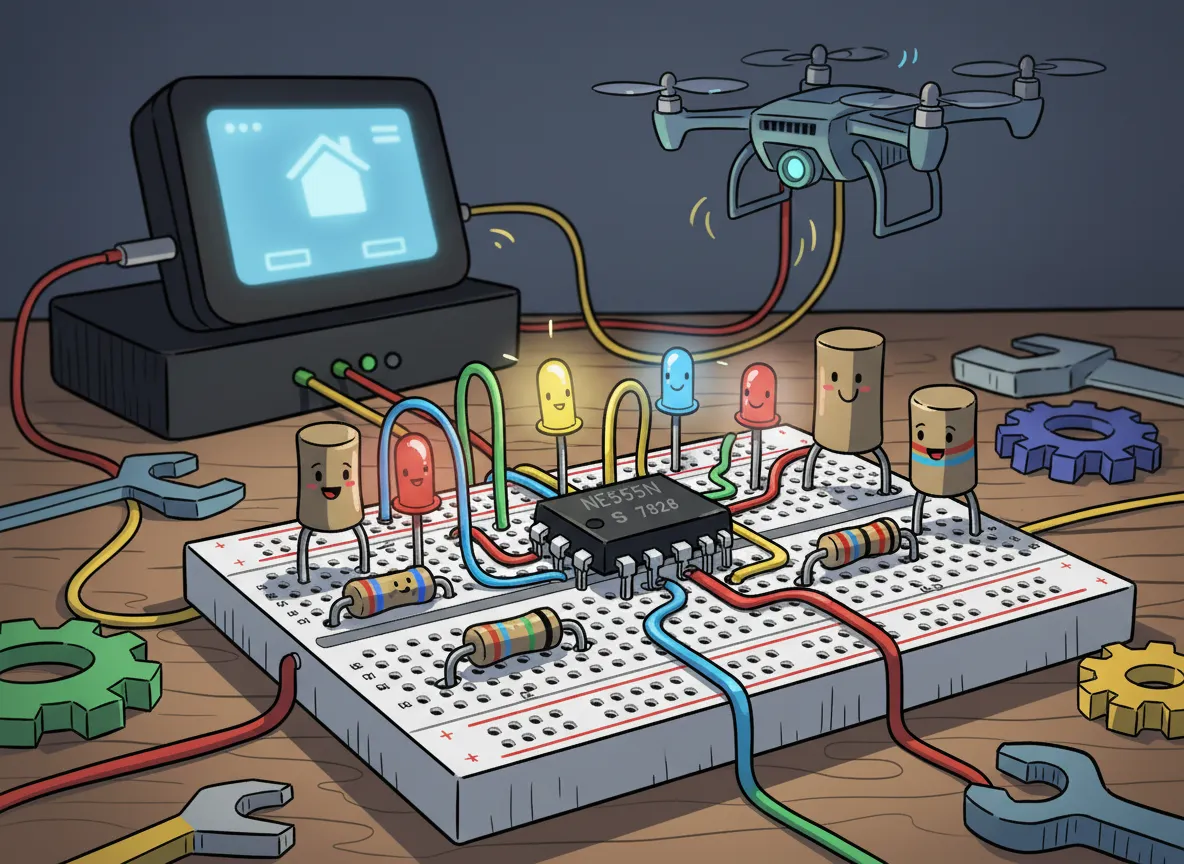
You often see the ne555n timer in electronic kits because it helps you create timers, oscillators, and pulse generators. You can use it to blink LEDs, make alarms, or generate tones. Its design, created by Hans Camenzind in 1971, set a new standard for integrated circuits and led to over a billion units sold each year. You will find three main operating modes, each working from 4.5V to 16V:
Operating Mode | Voltage Range |
|---|---|
Astable | 4.5-16V |
Monostable | 4.5-16V |
Bistable | 4.5-16V |
Many hobbyists and students choose this chip for its low cost and simple setup, even though modern industry often uses programmable chips instead.
Key Takeaways
The NE555N timer is a versatile chip used in many electronic projects. It can create timers, oscillators, and pulse generators.
This timer operates in three modes: astable for continuous pulses, monostable for single pulses, and bistable for on/off control.
It works with a wide voltage range of 4.5V to 16V, making it suitable for various devices, from battery-powered gadgets to larger systems.
The NE555N timer is easy to use and requires few extra parts, making it perfect for beginners and hobbyists.
You can create fun projects like blinking LEDs, sound effects, and timing circuits using the NE555N timer.
NE555N Timer Overview
What Is the NE555N Timer?
You will find the ne555n timer at the heart of many electronic projects. This small integrated circuit helps you control time, create pulses, and build oscillators. When you use it, you can set up circuits that blink lights, make sounds, or count time. The ne555n timer works in three main modes. Each mode gives you a different function for your project.
Here is a table that shows how each mode works and where you might use it:
Mode | Description | Applications |
|---|---|---|
Astable | Generates a continuous square wave output | Pulse generation, oscillators |
Monostable | Produces a single output pulse when triggered | Timers, one-shot circuits |
Bistable | Functions as a flip-flop with two stable states | Memory storage, toggle switches |
You can see that the ne555n timer fits many roles in electronics. It gives you the power to design circuits that react to time or user input.
Key Features
You will notice several features that make the ne555n timer popular. First, it works with a supply voltage from 4.5V to 16V. This wide range lets you use it in many types of circuits. The chip can handle frequencies up to 500kHz, which means you can use it for fast or slow timing tasks. It uses only about 10 mA of current, so it does not drain your power supply quickly. The standard package is an 8-pin DIP, which fits easily into breadboards and circuit boards.
Attribute | Specification |
|---|---|
Frequency | 500kHz |
Voltage - Supply | 4.5V ~ 16V |
Current - Supply | 10 mA |
Operating Temperature | 0°C ~ 70°C |
Package / Case | 8-DIP (0.300", 7.62mm) |
You do not need many extra parts to use the ne555n timer. This makes it easy for you to build circuits, even if you are just starting out. The low cost means you can experiment without spending much money.
Advantage | Description |
|---|---|
Ease of use | Requires few external components for many configurations |
Low cost | A very affordable integrated circuit |
These features explain why you see the ne555n timer in so many projects. You can rely on it for simple or complex designs.
How the NE555N Timer Works
Internal Structure
When you look inside the NE555N timer, you find a clever arrangement of parts that help it keep time and generate signals. The heart of the chip uses three 5 kΩ resistors. These resistors form a voltage divider between the positive supply (Vcc) and ground. This divider creates two important reference voltages: one at two-thirds of Vcc and another at one-third of Vcc.
The three 5 kΩ resistors split the voltage into three equal parts.
The chip uses these points to set reference levels at 2/3 Vcc and 1/3 Vcc.
Two comparators inside the chip watch these reference voltages.
The comparators check the voltages at the trigger and threshold pins.
When the voltage at these pins crosses the reference levels, the output changes.
This setup lets you control the timing and behavior of the chip with simple external parts.
The internal structure makes the NE555N timer both reliable and flexible for many projects.
Pin Configuration
You connect the NE555N timer to your circuit using its eight pins. Each pin has a special job. The table below shows what each pin does:
Pin Number | Name | Function |
|---|---|---|
1 | Ground | Connects to the 0v power supply. |
2 | Trigger | Detects 1/3 of rail voltage to make output HIGH. |
3 | Output | Goes HIGH (about 2v less than rail) and LOW (about 0.5v less than 0v). |
4 | Reset | Must be taken below 0.8v to reset the chip. |
5 | Control | A voltage applied to this pin will vary the timing of the RC network. |
6 | Threshold | Detects 2/3 of rail voltage to make output LOW only if pin 2 is HIGH. |
7 | Discharge | Goes LOW when pin 6 detects 2/3 rail voltage but pin 2 must be HIGH. |
8 | Supply | Connects to the positive power supply (Vs), typically 4.5V to 15V DC. |
You use these pins to connect the timer to other parts like resistors, capacitors, and switches. For example, when you send a low pulse to pin 2 (Trigger), the chip starts its timing cycle. The output at pin 3 changes based on how you set up the external resistor and capacitor. Pin 4 (Reset) lets you stop the timer early if needed. Pin 5 (Control) can adjust the timing if you apply a voltage to it. The layout of the pins makes it easy for you to build many different circuits.
Supply Voltage Range
The NE555N timer works well with a wide range of supply voltages. You can power it with as little as 4.5 volts or as much as 16 volts. Most projects use a supply between 4.5V and 15V. This flexibility means you can use the timer in battery-powered gadgets or larger electronic systems.
| Minimum Operating Supply Voltage | 4.5 V | | Maximum Operating Supply Voltage | 16 V |
For best results, keep the supply voltage between 4.5V and 15V. The chip also works in a wide temperature range, from -55°C to 125°C. It can drive loads up to 200mA, which is enough for many LEDs, buzzers, or small relays.
Specification | Value |
|---|---|
Power Supply Voltage Range | 4.5V to 15V |
Operating Temperature Range | -55°C to 125°C |
Output Drive Capability | Up to 200mA |
You can count on the NE555N timer to work in many different environments and with many types of power supplies.
NE555N Timer Operating Modes
The NE555N timer gives you three main ways to control circuits. Each mode lets you create different actions, from blinking lights to switching devices on and off. You can choose the mode that fits your project best.
Astable Mode
Astable mode lets you make a circuit that repeats an action over and over. You do not need to press any button to keep it running. The output switches between high and low states, creating a steady pulse.
You can use astable mode to make an LED flash at regular intervals.
Many people use this mode for blinking LED circuits in decorative lighting or as simple indicators.
The circuit keeps cycling until you turn off the power.
Tip: Astable mode is perfect when you want something to happen again and again without stopping.
Monostable Mode
Monostable mode gives you a single timed pulse when you trigger the circuit. You control when the action starts by pressing a button or sending a signal.
When you press a button, the voltage at the trigger pin drops and the output turns on.
The timer keeps the output on for a set time, then turns it off automatically.
The length of time depends on the resistor and capacitor you use.
This mode works well for timers, alarms, or any project where you need a one-time action.
Note: Monostable mode helps you create circuits that respond to a single event, like a button press.
Bistable Mode
Bistable mode lets you switch the output between two stable states. You decide when to turn the output on or off by pressing different buttons.
The ne555n timer acts like a flip-flop in this mode, holding its state until you change it.
You do not need timing parts like resistors or capacitors for this setup.
Pressing the trigger pin turns the output on. Pressing the reset pin turns it off.
You can use bistable mode for toggle switches, memory storage, or simple on/off controls.
Bistable mode is useful when you want to control something with two clear states, such as turning a device on or off.
Applications in Electronics
The ne555n timer gives you many ways to build useful and fun electronic projects. You can use it in timing circuits, pulse generators, oscillators, LED flashers, and sound effects. Its flexibility makes it a favorite for both hobbyists and professionals.
Timing Circuits
You can create accurate timing circuits with the ne555n timer. It lets you control how long an event lasts or how often it repeats. Many popular timing circuits use this chip, such as:
Astable squarewave generators
Schmitt triggers
Morse code practice oscillators
Electronic door buzzers
Continuity testers
Signal injectors
Metronomes
LED flashers and alarms
Long-period timers
The ne555n timer gives you precise control over timing intervals. You can adjust resistors and capacitors to set the exact time you need. This accuracy helps in scientific experiments and industrial systems where timing matters.
Pulse Generators
You can use the ne555n timer to build pulse generators. These circuits create electrical pulses for other devices. The two main types are:
Astable multivibrator – switches between two states without stopping.
Monostable multivibrator – stays in one state until you trigger it.
Pulse generators help you test circuits, send signals, or control other parts of your project.
Oscillators
Oscillators make repeating signals, like beeps or clock pulses. You can control the frequency by changing resistor and capacitor values. If you connect a potentiometer to pin 5, you can adjust the frequency easily. When you raise the voltage, the signal slows down. Lowering the voltage speeds it up. This feature lets you use the ne555n timer in many frequency-based circuits.
LED Flashers
You can make LEDs blink using the ne555n timer in astable mode. The chip produces a square wave that turns the LED on and off. You can change the flash rate by adjusting the timing parts. This setup works well for strobe lights, alarms, and decorative displays.
Feature | Description |
|---|---|
Power Consumption | Low, especially in CMOS versions |
Supply Voltage Range | 2V to 18V, works with many batteries |
Flash Rate | Adjustable for different uses |
Tip: You can use the ne555n timer to control strobe lights or create custom flash patterns for your projects.
Sound Effects
You can also use the ne555n timer to make sound effects. Set it in astable mode to create a stream of pulses. The frequency depends on the resistor and capacitor you choose. You can make alarm sounds, metronomes, or even music-like tones. By turning a variable resistor, you can change the pitch and rhythm. Many projects use this chip to create fun and useful sounds.
You can rely on the ne555n timer for both simple and advanced electronic projects. Its reliability and ease of use make it a favorite in classrooms, industrial systems, and creative designs.
You can use it to generate pulses, drive LEDs, create sound effects, or control motors.
Many students and professionals choose this timer to learn, experiment, and innovate.
Try building your own circuits and explore new possibilities with this classic chip.
FAQ
How do you power the NE555N timer?
You can use a battery or DC power supply between 4.5V and 15V. Most projects work well with a 9V battery. Always check your circuit for correct voltage before connecting the chip.
Can you use the NE555N timer for audio projects?
Yes, you can create simple sound effects and tones. Set the timer in astable mode. Adjust the resistor and capacitor values to change the pitch and rhythm.
What happens if you connect the pins incorrectly?
Incorrect pin connections can stop your circuit from working. You might damage the chip. Always double-check the pin layout before soldering or powering your project.
Is the NE555N timer safe for beginners?
You can safely use the NE555N timer as a beginner. The chip needs only a few extra parts. Breadboards make testing easy. You learn basic electronics while building fun projects.