Choosing Your nRF52840 Board A 2025 Buyer's Guide
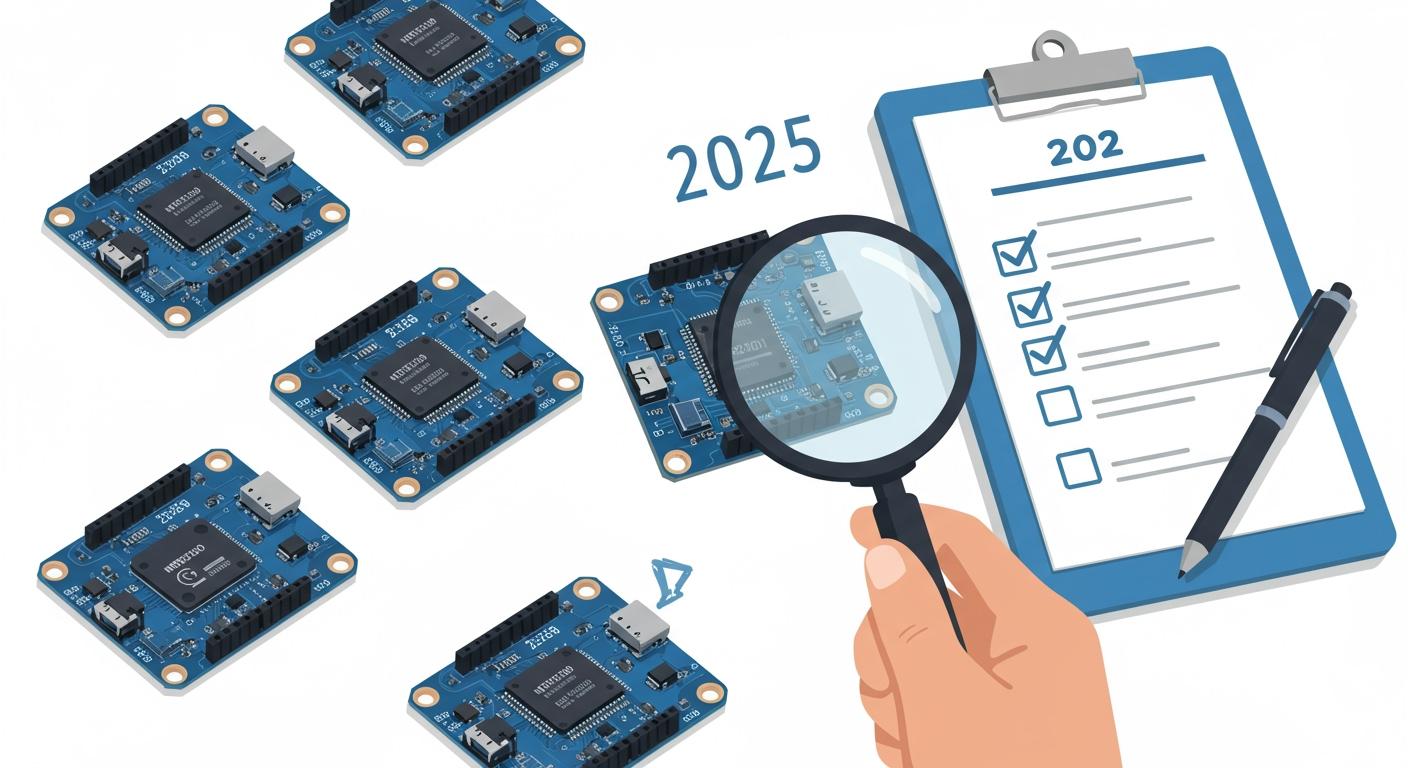
You can build powerful Internet of Things (IoT) projects with nRF52840 microcontroller boards. These top iot boards combine a strong ARM Cortex-M4F processor with Bluetooth 5.0. Makers create amazing things with these boards.
Project Spotlight: Air Quality Monitor 🌬️
- Hardware: Omnimo nRF52840, OLED Display
- Purpose: Monitors indoor air quality using CircuitPython.
This guide reviews the top 10 iot boards for development to help you choose.
2025's Top nRF52840 Boards at a Glance
| Board Name | Best For | A-List Feature | Price Range |
|---|---|---|---|
| Adafruit Feather nRF52840 Express | Prototyping | Feather Ecosystem | $25 - $35 |
| Arduino Nano 33 BLE Sense Rev2 | Beginners | Onboard Sensors | $30 - $40 |
| Nordic nRF52840 DK | Professionals | SEGGER J-Link Debugger | $50 - $60 |
| Seeed Studio XIAO BLE | Wearables | Tiny Form Factor | $9 - $15 |
| MakerDiary MDK USB Dongle | Best Value | USB Dongle Form | $15 - $25 |
Key Takeaways
- Different nRF52840 boards are best for different projects. Some boards are good for beginners, others for professionals, and some for very small devices.
- The Adafruit Feather nRF52840 Express is a great choice for most people. It is easy to use and has many parts you can add to it.
- Beginners should start with the Arduino Nano 33 BLE Sense Rev2. It has many sensors built-in and is simple to learn.
- Professionals should use the Nordic nRF52840 DK. It helps you find and fix problems in your code easily.
- For tiny projects like smartwatches, the Seeed Studio XIAO BLE is the best. It is very small and uses little power.
Top nrf52840 Board Picks for 2025
You have many great options when choosing a development board. This list narrows down the top iot boards to help you find the perfect match for your project. We selected these picks from the top 10 iot boards available in 2025.
Best Overall: Adafruit Feather nRF52840 Express
The Adafruit Feather nRF52840 Express earns its spot as the best overall choice. It offers a fantastic balance of power, ease of use, and a massive support ecosystem. You get plenty of performance for complex projects.
- Processor Speed: 64 MHz
- Flash Memory: 1 MB
- RAM: 256 KB SRAM
Its Feather form factor gives you access to a huge library of stackable "Wing" expansion boards.
Best for Beginners: Arduino Nano 33 BLE Sense Rev2
If you are new to IoT, the Arduino Nano 33 BLE Sense Rev2 is your best starting point. It packs an incredible number of sensors directly onto the board. This lets you build sensor-based projects right out of the box.
Onboard Sensors Include:
- 9-axis IMU (for motion)
- Microphone (for sound)
- Proximity and Gesture
- Barometric Pressure
- Temperature and Humidity
The familiar Arduino environment makes getting started simple.
Best for Professionals: Nordic nRF52840 DK
For serious development, you should choose the Nordic nRF52840 DK. This is the official development kit from the chip's creator. It provides unmatched debugging features and supports multiple wireless protocols like Bluetooth, Thread, and Zigbee.
Best for Wearables: Seeed Studio XIAO BLE
When size is critical, the Seeed Studio XIAO BLE is the clear winner. This board is incredibly small, measuring just 21 x 17.5 mm. Its tiny footprint makes it perfect for wearables and other space-constrained IoT devices.
Best Value: MakerDiary MDK USB Dongle
The MakerDiary MDK USB Dongle offers amazing versatility for a low price. You can use it as a development board, a network co-processor, or even a Bluetooth packet sniffer with Wireshark. Its USB form factor makes it easy to program and deploy.
Adafruit Feather nRF52840 Express
The Adafruit Feather nRF52840 Express is a top choice for many developers. You get a powerful board that is easy to use. It provides a perfect entry point into advanced IoT projects.
Key Specs & Features
This board packs impressive hardware into a small package. You have plenty of resources for your creative ideas.
- GPIO: You can use 21 General Purpose Input/Output pins.
- Analog Inputs: It has 6 analog pins. You can set the ADC resolution to 8, 10, or 12 bits for precise measurements.
- Native USB: The board supports native USB. It can act like a keyboard, mouse, or even a small disk drive.
- Battery Charging: A built-in connector for LiPo batteries and a charging circuit simplify portable projects.
Ecosystem & Support
Adafruit provides one of the best ecosystems for makers. The Feather form factor is a huge advantage. You can connect hundreds of "Wing" expansion boards for added functionality like GPS, displays, or motor drivers. The board also has excellent support for CircuitPython. This makes coding simple and fast.
Upgrade to the "Sense" Variant 🔬 You can also choose the Feather nRF52840 Sense model. It adds a great collection of onboard sensors. You get a microphone, accelerometer, gyroscope, and sensors for light, pressure, humidity, and temperature. This makes it a complete IoT sensing package.
Pros & Cons
You should weigh the board's strengths and weaknesses for your project.
| Pros | Cons |
|---|---|
| Huge FeatherWing ecosystem | Higher price than some rivals |
| Excellent CircuitPython support | Not the official Nordic dev kit |
| Built-in battery management | Fewer debug features for pros |
| Strong community and tutorials |
Ideal Use Cases
This board excels in projects where speed and flexibility are important. You will find it perfect for:
- Rapidly prototyping IoT devices.
- Building portable projects with its battery-friendly design.
- Creating interactive sensor networks, especially with the Sense variant.
- Learning embedded development with CircuitPython.
Arduino Nano 33 BLE Sense Rev2
The Arduino Nano 33 BLE Sense Rev2 is the perfect board for beginners. It lowers the barrier to entry for IoT projects. You can start building complex sensor-based applications with minimal extra hardware. This board uses the powerful nrf52840 chip to handle your code and wireless communication.
Key Specs & Onboard Sensors
This board packs an incredible amount of technology into the classic Nano form factor. You get a full suite of sensors right out of the box.
- Processor Speed: 64 MHz
- Flash Memory: 1 MB
- RAM: 256 KB
- Onboard Sensors:
- 9-axis Inertial Measurement Unit (IMU)
- Temperature and humidity sensor
- Barometric pressure sensor
- Microphone
- Gesture, proximity, light color, and light intensity sensor
These integrated sensors let you explore machine learning and data collection immediately.
The Arduino Advantage
You benefit from the massive Arduino ecosystem. The Arduino IDE is simple to use. You can find thousands of tutorials and code libraries online. This support makes your first steps into programming microcontrollers much easier.
Plug-and-Play Learning 🎓 The Arduino platform is famous for its user-friendly experience. You can upload code with a single click. This lets you focus on your project idea instead of complex setup procedures.
Pros & Cons
You should consider the board's strengths and weaknesses before buying.
| Pros | Cons |
|---|---|
| Packed with onboard sensors | Higher price than basic boards |
| Beginner-friendly Arduino IDE | I/O pins are 3.3V only |
| Strong community support | Fewer GPIO pins than a Feather |
| Great for TinyML projects |
Ideal Use Cases
This board is an excellent choice for specific types of projects. You will find it perfect for:
- Learning embedded systems and IoT concepts.
- Building a weather station or environmental monitor.
- Creating gesture-controlled devices.
- Exploring "Tiny Machine Learning" (TinyML) with its microphone and IMU.
Nordic nRF52840 DK
When you are ready for serious, professional-grade development, you should turn to the Nordic nRF52840 DK. This is the official Development Kit (DK) from Nordic Semiconductor, the company that designed the chip. It gives you unparalleled access to the hardware and a top-tier development experience.
Key Specs & Debugging
The DK exposes the full power of the nrf52840 System-on-Chip. You get access to all GPIO pins, four user-programmable buttons, and four LEDs. The board's greatest strength, however, is its integrated debugger.
Professional Debugging Power ⚙️ The board includes an on-board SEGGER J-Link debugger. This tool lets you pause your code, inspect variables, and step through your program line-by-line. It makes finding and fixing bugs much faster and more efficient.
Professional Tooling
Nordic provides a complete software ecosystem for its hardware. You can build complex applications using professional tools that integrate seamlessly with the DK.
- The nRF Connect SDK is Nordic's main software development kit. It includes the powerful Zephyr Real-Time Operating System (RTOS).
- You can use the nRF Connect for VS Code extension. This free tool turns Visual Studio Code into a full-featured IDE for developing, compiling, and debugging your projects.
Pros & Cons
You should evaluate the DK based on its professional focus.
| Pros | Cons |
|---|---|
| On-board SEGGER J-Link debugger | Larger and more expensive |
| Supports BLE, Mesh, Thread, Zigbee | Steeper learning curve for beginners |
| Full access to all I/O pins | Some advanced tools are community-driven |
| Official manufacturer support |
Ideal Use Cases
This board is the best choice for demanding and commercial projects. You will find it essential for:
- Developing commercial IoT products.
- Testing and evaluating multiple wireless protocols.
- Advanced firmware development and debugging.
- Creating custom hardware based on the chip's reference design.
Seeed Studio XIAO BLE
You should choose the Seeed Studio XIAO BLE when your project needs to be incredibly small. This board packs a powerful processor into a package about the size of your thumb. Its tiny footprint makes it a top choice for wearables and other projects where space is limited.
Key Specs & Tiny Form Factor
The XIAO BLE's main advantage is its miniature size, measuring only 21 x 17.8mm. Despite its small form, you get impressive hardware for your projects.
| Feature | Specification |
|---|---|
| Processor | Nordic nRF52840, 64 MHz |
| Wireless | Bluetooth LE 5.2/NFC |
| Memory | 1MB Flash, 256KB RAM |
| Interfaces | 1xI2C, 1xUART, 1xSPI |
| Onboard Chip | Battery Charge Chip BQ25101 |
| Dimensions | 21 x 17.8mm |
Power & Battery Use
This board is designed for low-power applications. It has an ultra-low power standby mode that consumes less than 5μA. This makes it perfect for battery-powered devices that need to last a long time.
Built-in Battery Management 🔋 The XIAO BLE includes an onboard chip for charging lithium batteries. You can connect a battery to the pads on the back of the board. Your firmware can set the charging current to either 50mA or 100mA.
Pros & Cons
You should consider the board's unique features before you buy it.
| Pros | Cons |
|---|---|
| Extremely small size | Limited number of I/O pins |
| Very low power consumption | Requires soldering for battery |
| Onboard battery charging | Small pads can be hard to work with |
| Affordable price |
Ideal Use Cases
The XIAO BLE is the best choice for projects where size and power efficiency are critical. You will find it perfect for:
- Creating wearable devices like smartwatches or fitness trackers.
- Building tiny wireless sensor nodes.
- Developing Bluetooth beacon applications.
- Any IoT project that must fit into a very small enclosure.
Side-by-Side Feature Comparison
You can look at key features side-by-side to find the right board. This comparison will help you match a board's specifications to your project's needs.
Form Factor & Size
The physical size of a board is a critical factor. You must choose a board that fits your project's enclosure.
- Tiny: The Seeed Studio XIAO BLE is perfect for wearables due to its thumb-sized footprint.
- Standard: The Adafruit Feather nRF52840 Express uses a popular form factor with many expansion options.
- Large: The Nordic DK is bigger. It gives you easy access to all pins for development and testing.
Memory (Flash & RAM)
Memory determines how complex your code can be. Flash stores your program, and RAM holds data while the program runs. Most of these microcontroller boards use the standard nRF52840 SoC configuration.
- MicroMod nRF52840 Processor: 1MB internal Flash and 256KB internal RAM.
Some boards offer more storage for data logging or complex applications.
| Board Configuration | QSPI Flash |
|---|---|
| Omnimo nRF52840 (various) | 2MB or 8MB |
Connectivity & I/O
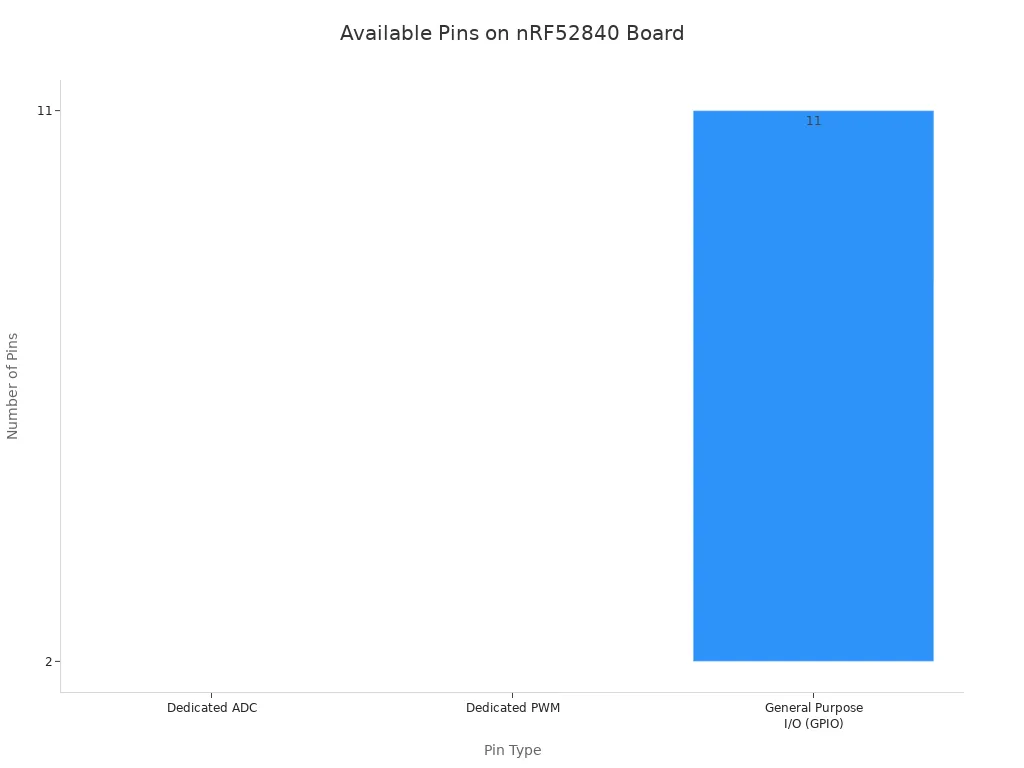
You need Input/Output (I/O) pins to connect sensors, lights, and other components. The number of available pins varies between boards. You should check for General Purpose I/O (GPIO), Analog-to-Digital Converter (ADC), and Pulse-Width Modulation (PWM) pins.
Onboard Peripherals
Some boards include built-in components that save you time and money. These are great for creating a complete project with less soldering.
All-in-One Power 💡 The Adafruit Feather nRF52840 Sense includes a 9-DoF motion sensor, microphone, and light sensor. The Blip board also features a temperature sensor and a battery charging IC. These integrated parts make them some of the top 10 iot boards for rapid prototyping.
Power & Price
Your budget and power source are final considerations. Prices can range from under $10 to over $50. You also need to match the board's operating voltage to your power supply, like a battery or USB.
| Board Name | Operating Voltage Range | Price Point |
|---|---|---|
| SparkFun Pro nRF52840 Mini | N/A | $41.50 |
| Omnimo nRF52840 | 1.8 V to 3.3 V | $40 |
Key Factors for Your Decision
You can find the perfect board for your project. You just need to think about a few key things. This guide will help you match your needs to the right hardware.
Project Requirements
First, you should define your project's goals. What will your device do? You might need many input pins for a complex robot. A simple sensor node might need very few. Making a list of your project's "must-have" features will help you narrow down your options quickly.
Choosing Your nrf52840 Software
Your coding experience matters a lot. Different boards support different software environments. You should pick one that feels comfortable for you.
| Feature | Arduino | CircuitPython |
|---|---|---|
| Ease of Use | Great choice for novice programmers | Great choice for rapid prototyping |
| Key Feature | Bluetooth Low Energy (BLE) support | Bluetooth Low Energy (BLE) support |
For the Pros ⚙️ If you are a professional developer, you should look at the nRF Connect SDK. It offers complete control over the hardware. However, it has a steep learning curve and is best for complex commercial products.
Physical Constraints
You must consider the size of your board. The board needs to fit inside your project's case or enclosure.
- For wearable projects like a fitness tracker, you need a tiny board. The Seeed Studio XIAO BLE is perfect for these situations.
- A prototype wearable platform used the compact nRF52840 Dongle because its small size was a critical requirement.
- Larger boards like the Nordic DK are great for learning because the pins are easy to access.
Community & Documentation
Good support can save you a lot of time. You will find help when you get stuck.
- Official Support: Boards from Nordic, like the DK and Dongle, have excellent official documentation. This gives you reliable information directly from the chip maker.
- Community Power: Boards like the Adafruit Feather and Seeed Studio XIAO have huge user communities. You can find many tutorials, project examples, and forum posts to guide you.
You can now choose the right board for your project. The Nordic nRF52840 DK is an excellent choice for hardware developers. The Adafruit Feather nRF52840 Sense excels at rapid prototyping. The Arduino Nano 33 BLE Sense Rev2 is perfect for beginners. These are some of the top 10 iot boards available.
Final Recommendations 🏆
- Best for Most People: You should get the Adafruit Feather nRF52840 Express. Its ecosystem offers great flexibility.
- Power-User Choice: You need the Nordic nRF52840 DK. It has professional debugging and supports many tutorials.
What will you build? Share your project in the comments!
FAQ
What is the main difference between the nRF52840 and nRF52832?
You get several key upgrades with the nRF52840 chip. It offers more memory for your code, native USB support, and improved Bluetooth 5 features like long-range communication. This makes it a more powerful choice for modern IoT projects.
Can I use these boards for Wi-Fi projects?
No, the nRF52840 chip does not have Wi-Fi capabilities. You should use it for projects that need other wireless standards.
Supported Protocols 📡
- Bluetooth Low Energy (BLE)
- Bluetooth Mesh
- Thread & Zigbee
- NFC
Do I need special tools to program these boards?
You can program most of these boards with just a standard USB cable. You connect the board to your computer and use free software like the Arduino IDE or CircuitPython to upload your code. It is very beginner-friendly.
What is the difference between the Nordic DK and the Dongle?
You choose the board based on your main task. The Development Kit (DK) is for building and debugging firmware. The Dongle is better for testing wireless networks or acting as a co-processor.
| Board | Primary Use |
|---|---|
| nRF52840 DK | Full-featured development |
| nRF52840 Dongle | Wireless sniffer & testing |